
Renew Your Business Permit in Davao City
Already have a Mayor’s Permit? Follow the renewal process: update your contact details, verify your access code, complete the forms, attach documents, pay the assessed dues and obtain your renewed permit.
Renewal schedule: The 2026 one-stop-shop renewal period ran from January 5–31, 2026. That special period has ended. The Business Bureau also processes transactions outside the one-stop-shop period, subject to current requirements and applicable surcharges. Check official announcements for the next annual window.
Documents for Business Permit Renewal
Davao City’s official Business Bureau identifies these renewal documents. Some are conditional: the exact upload checklist depends on business type, representative authorization and compliance status.
Existing Records and Tax Information
- Existing business permit / Mayor’s Permit information
- BIR Form 2551Q (Quarterly Percentage Tax Return) where applicable
- Financial Statement and appropriate gross-income records
Owner and Representative Documents
- Government-issued identification for owners and authorized representative
- Special Power of Attorney for a sole proprietorship, if represented
- Secretary’s Certificate / Board Resolution as applicable for an authorized representative
Compliance and Employees
- Fire Safety Inspection Certificate (FSIC)
- Certified List of Employees or Certification of No Employee
- Line-of-business certificates required by regulatory offices
Blocked and Special Cases
- Barangay Certification, if required for a blocked business
- Documents specifically requested by a Regulatory Office
- Separate amendment paperwork for changes of name, address or business activity when applicable
Tax reminder: Renewal business tax is based on gross income; the Mayor’s Permit fee depends on asset size and business nature. The City Treasurer supplies the actual assessment.
Contact & verification
Get your existing record, identify your representative and verify your contact details.
Prepare Your Previous Business Record
Keep your existing Mayor’s Permit or business reference, registered name, current email and phone, financial records and relevant compliance documents ready.
Open the Official Business Permit Portal
Visit the Davao City BPLS website and select the renewal route for an existing business. Do not choose the first-time new-business application.
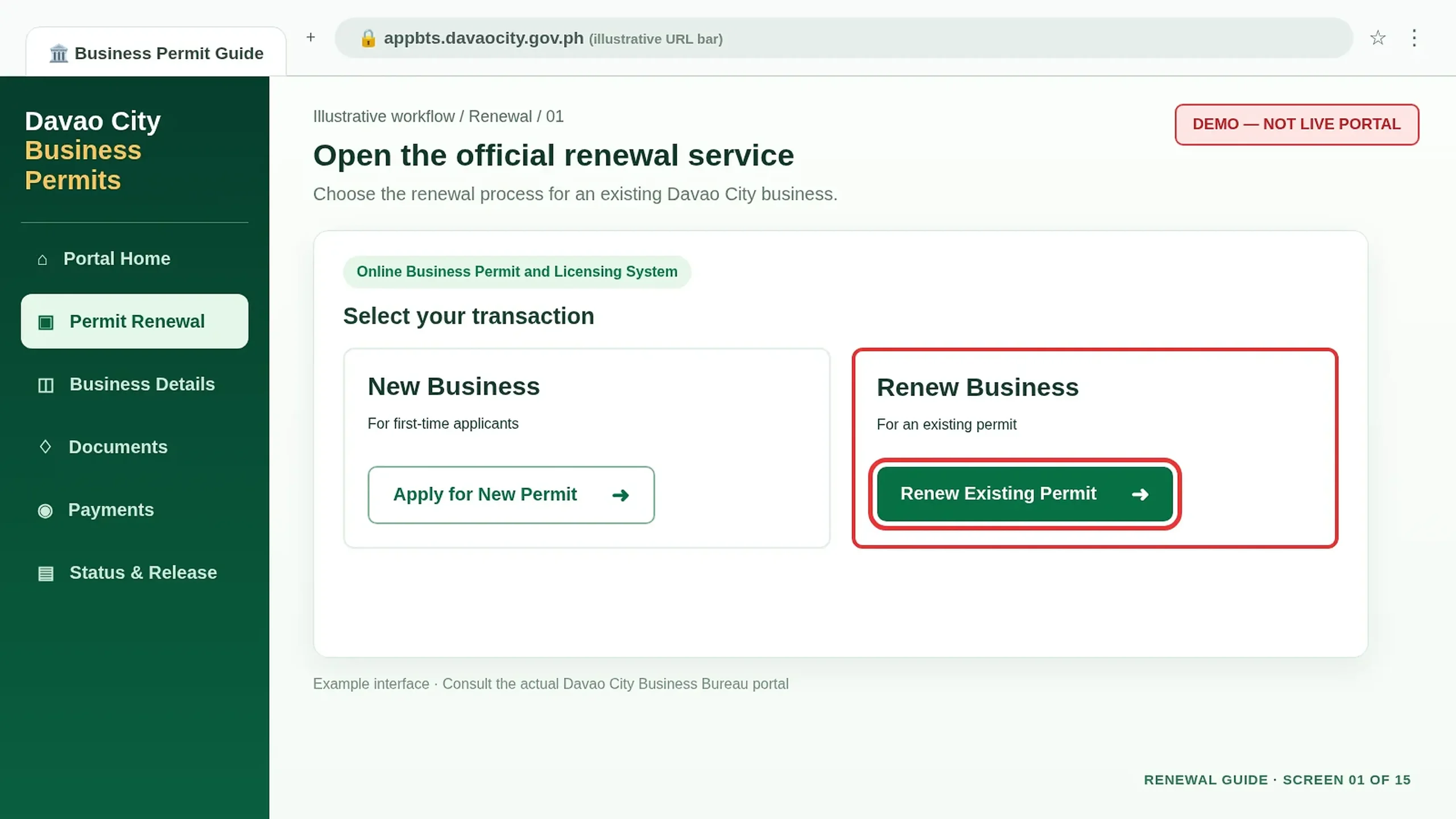
Update Your Email and Mobile Number
Enter a working email and mobile number. The official 2026 process sends the access code through these contact channels.
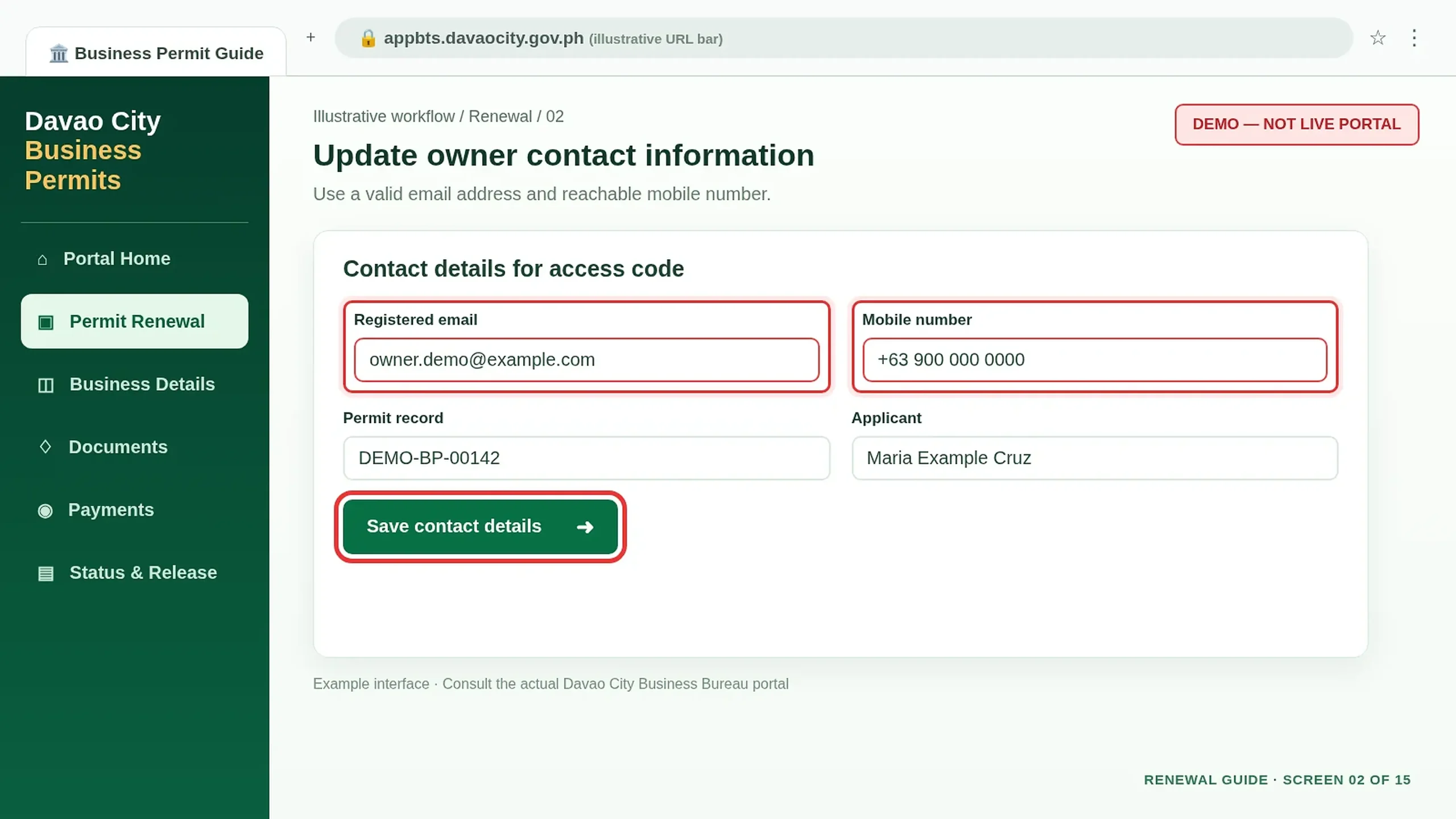
Identify the Person Transacting
If a representative—not the owner—is handling the renewal, provide the representative’s valid ID and authorization requested by the form.
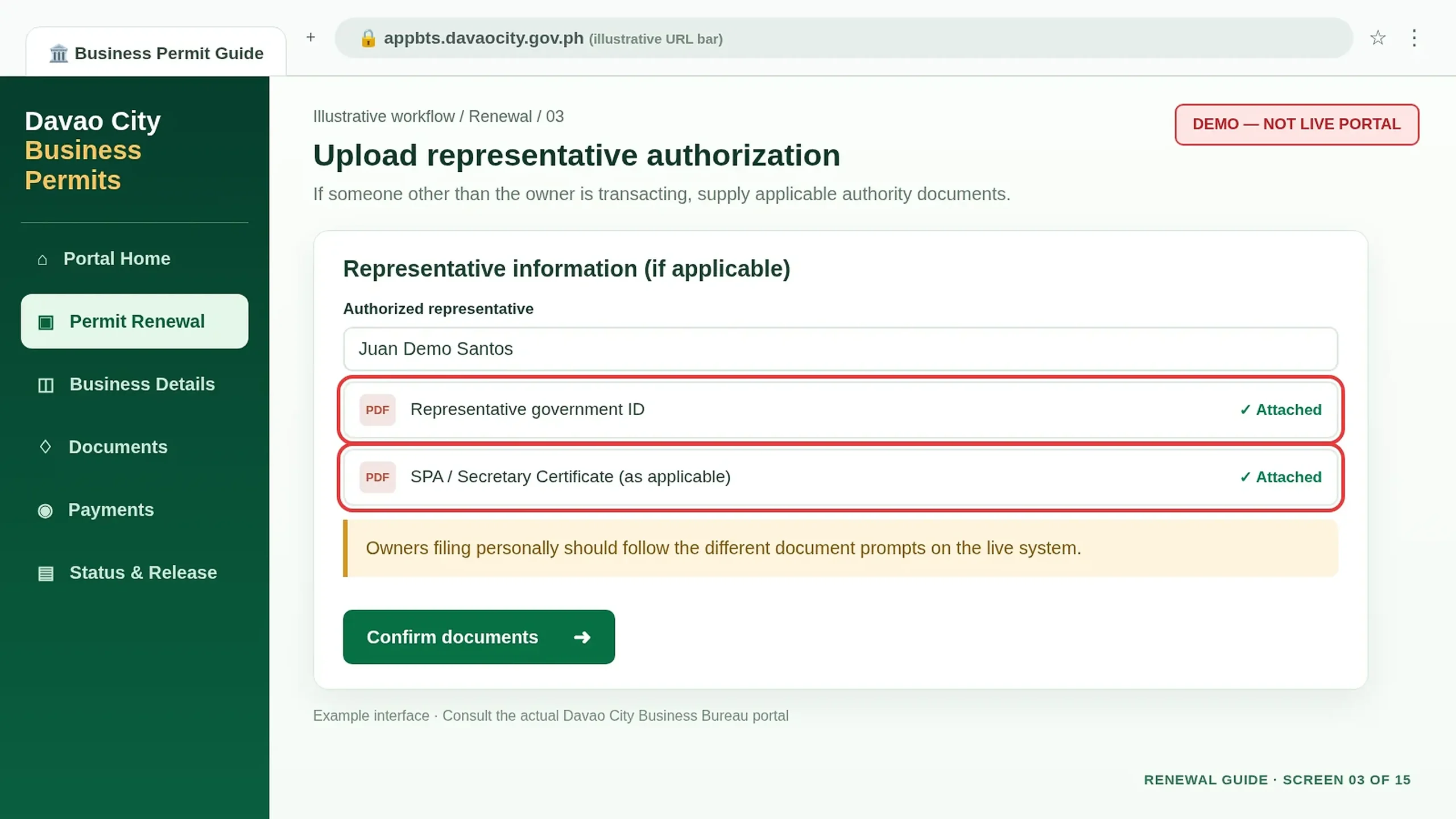
Check the Authorization Document
For sole proprietorship representation, the Charter specifies an SPA. For a corporation, it specifies a Secretary’s Certificate. Other entities should follow the live requirements.
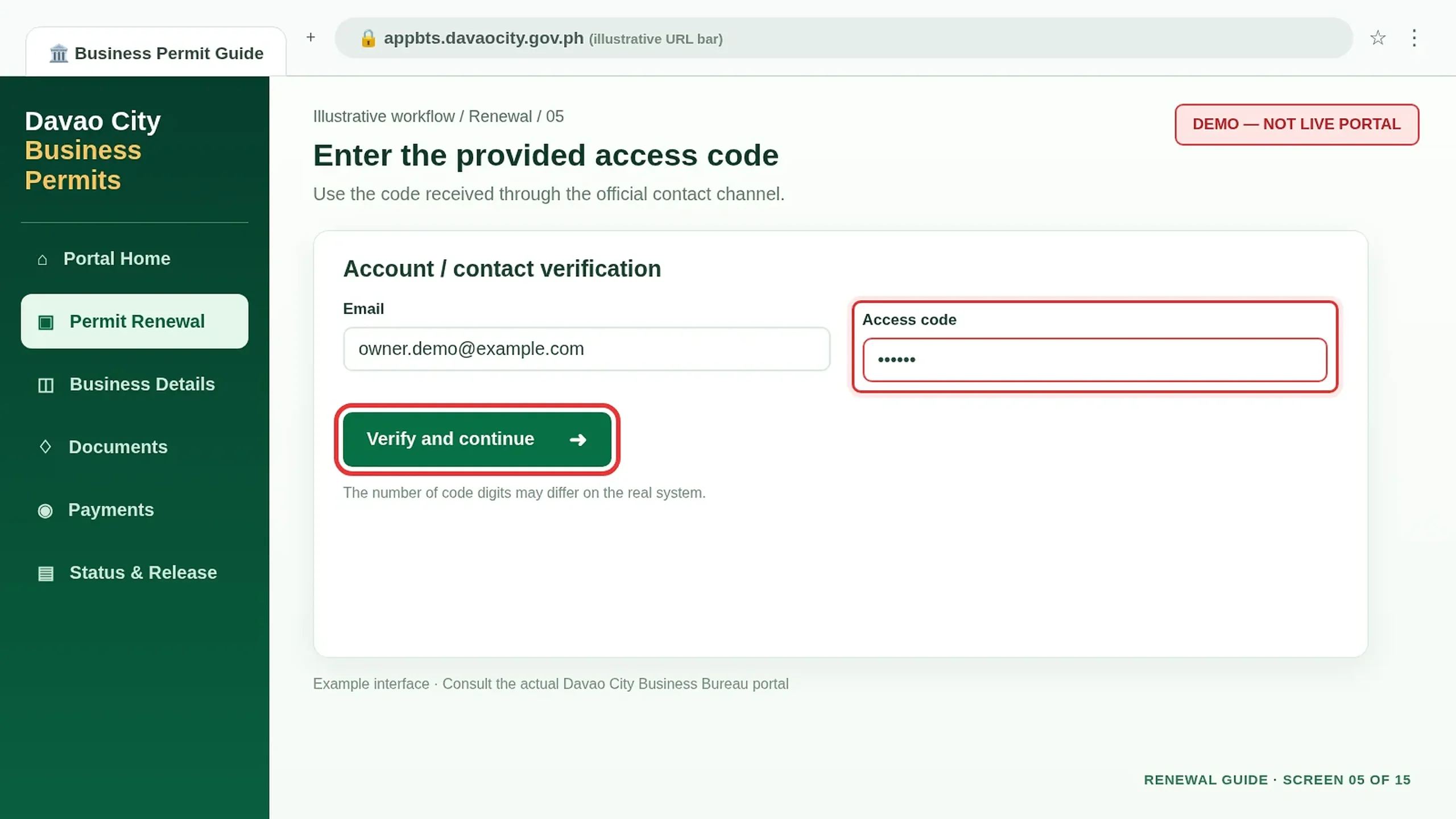
Request and Receive the Access Code
After submitting the contact details, check the registered email or SMS inbox for the access code. Keep it private.
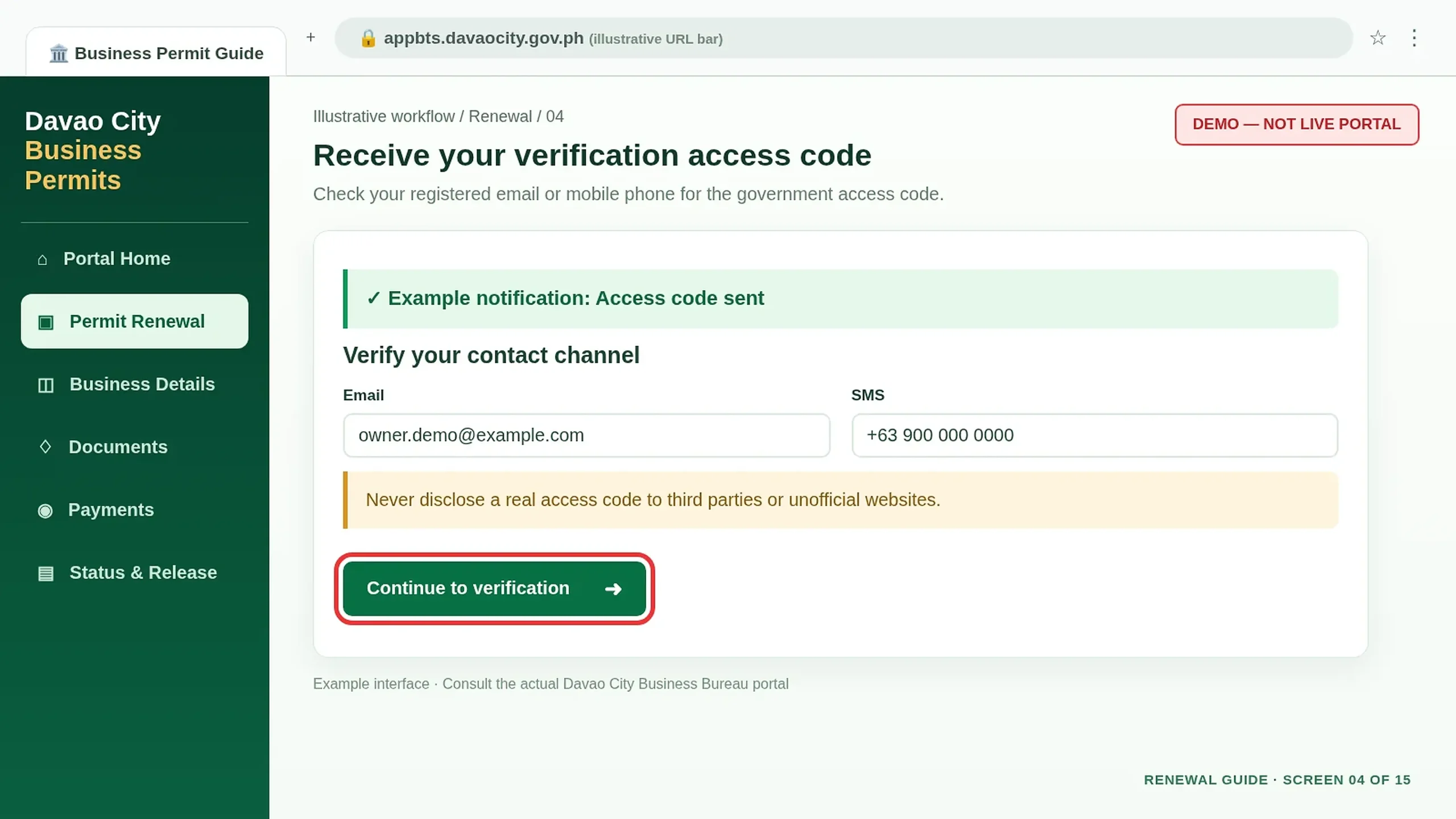
Verify With the Access Code
Enter the actual code in the government portal’s verification screen. If no code arrives, check the contact details and contact official support.
Renewal forms & documents
Review your business record, provide the required information and submit your renewal.
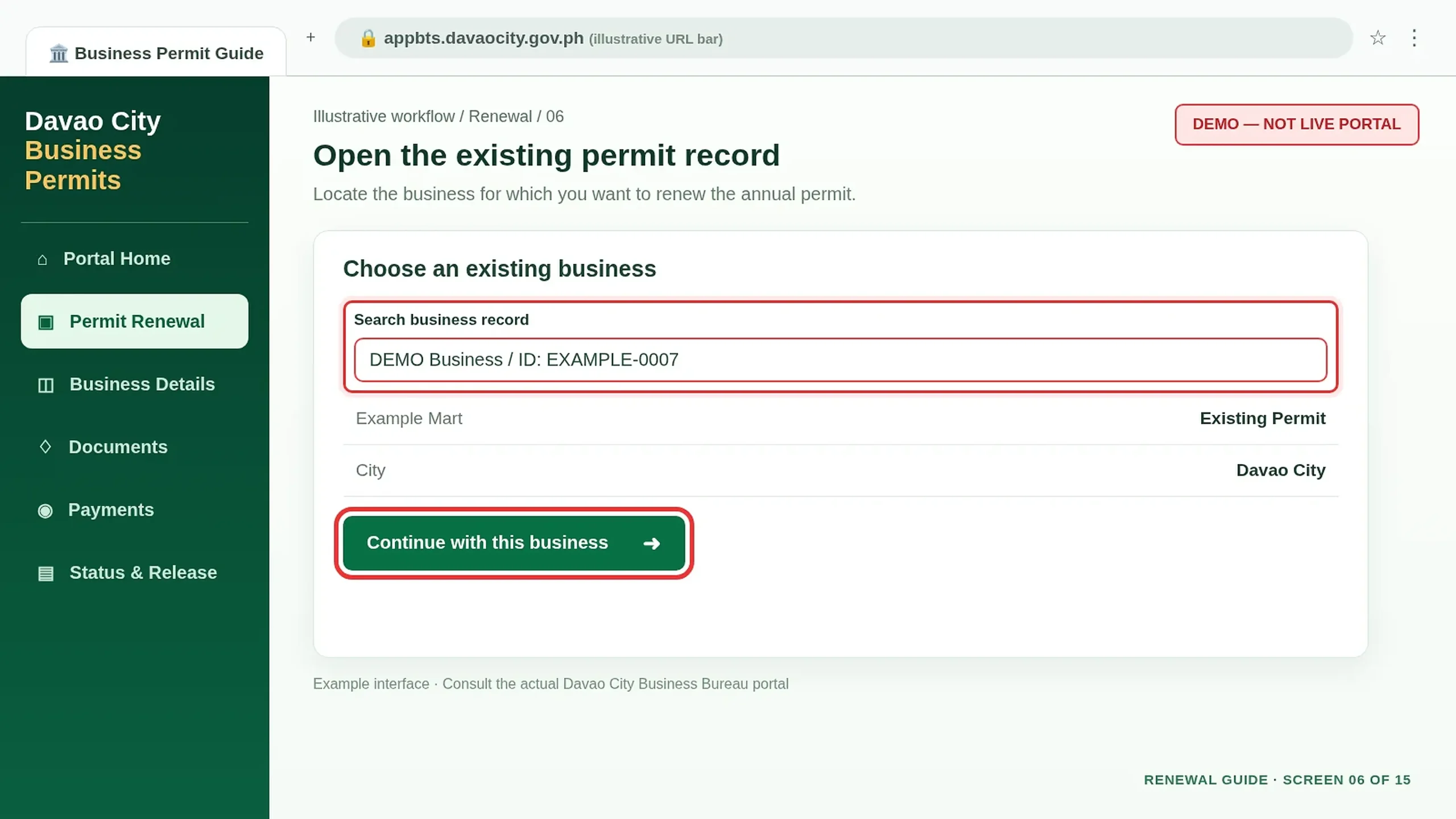
Find Your Existing Business
Select the existing business record you want to renew. Check its genuine name, business ID or current permit details provided by the system.
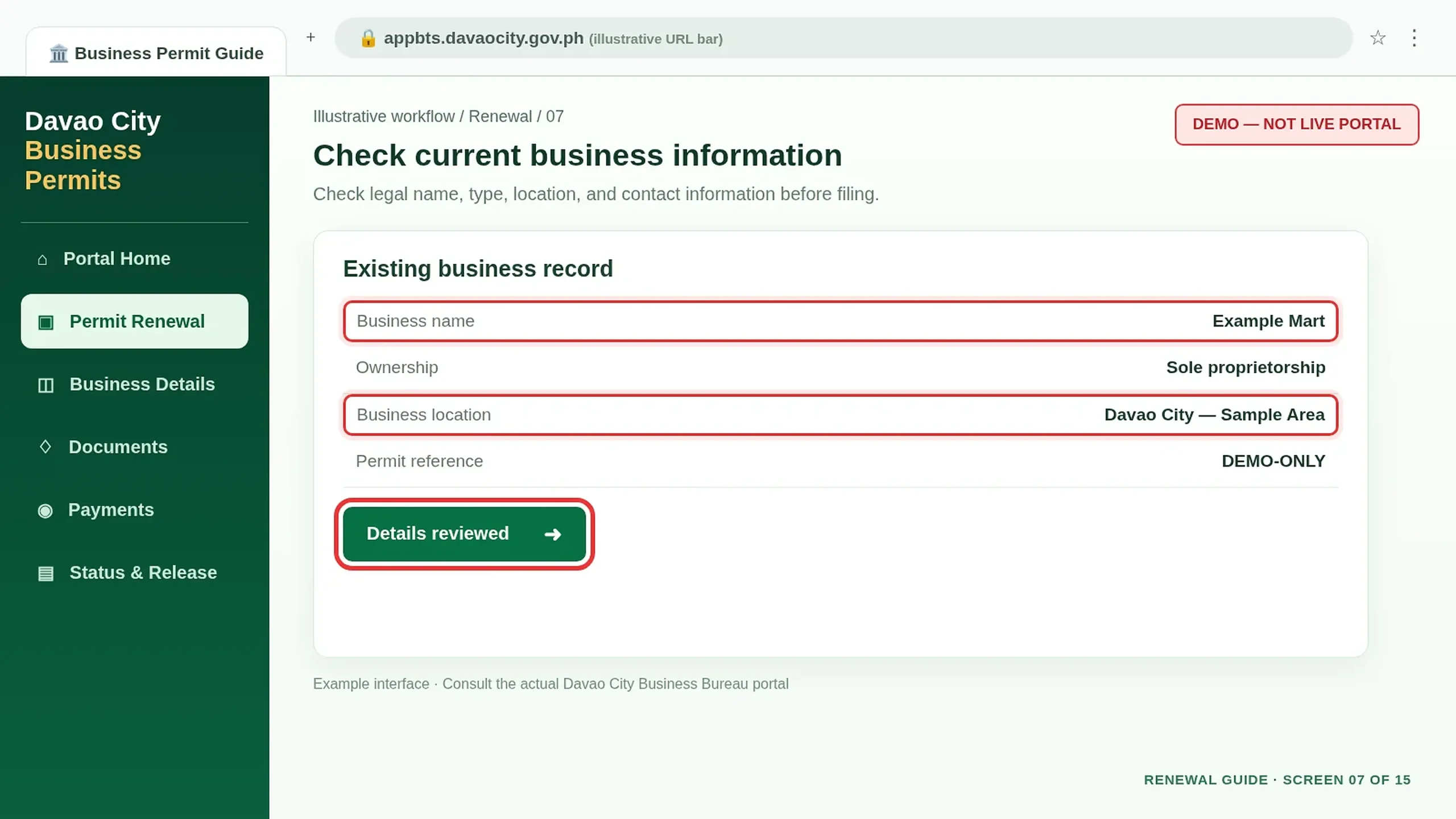
Check the Registered Business Details
Review the business name, ownership information and location. Do not start a new application for a business that already has a permit.
Check Whether Any Changes Are Needed
If the business address, name, ownership or line of business changed, check the Business Bureau’s separate amendment requirements before filing.
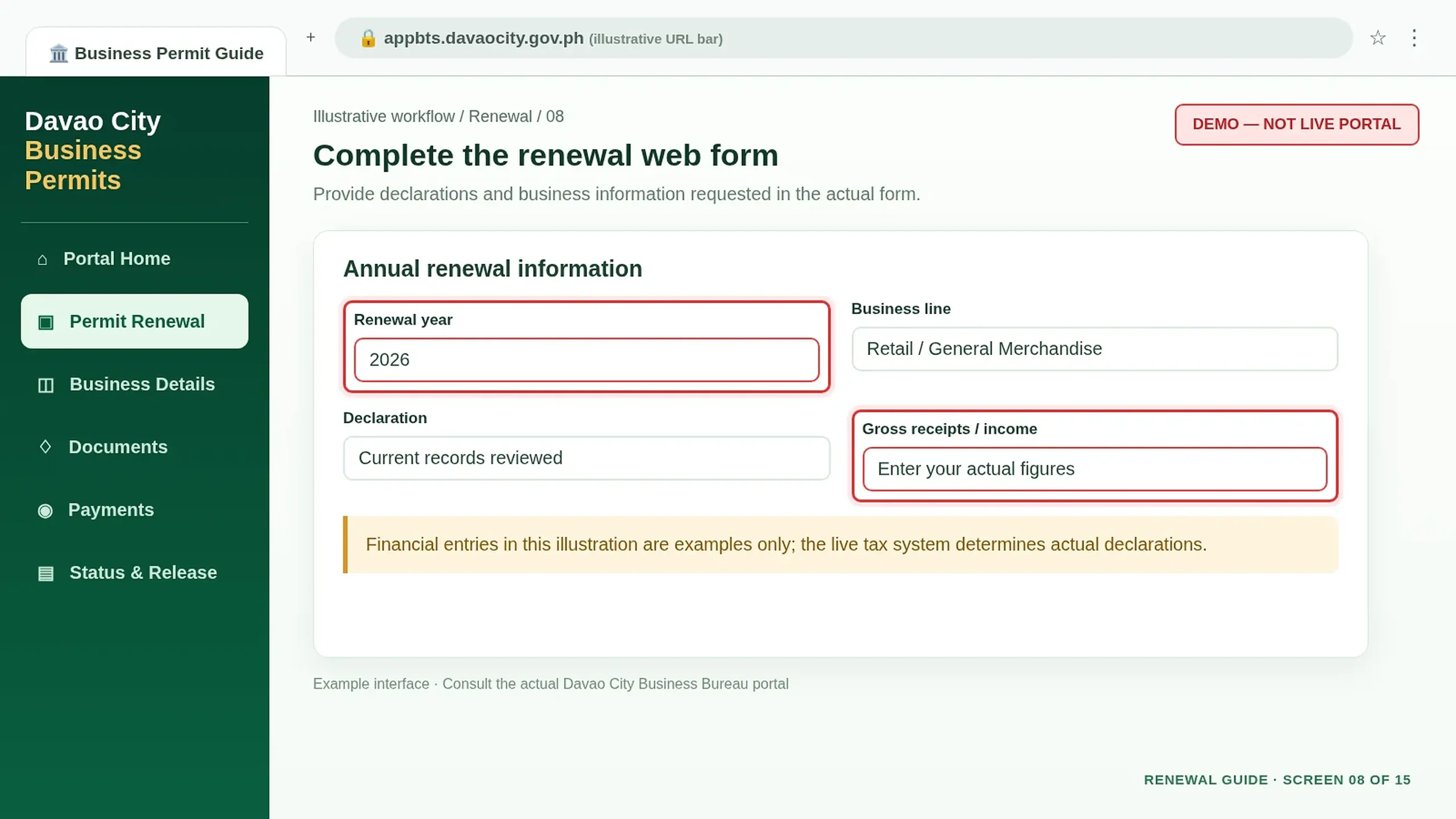
Complete the Annual Renewal Information
Fill out the web forms requested for renewal. Provide accurate year-specific declarations and actual business figures where required.
Prepare Financial and Tax Documents
The Business Bureau lists BIR Form 2551Q and a Financial Statement among renewal documents. Check whether they apply to your filing and prepare readable copies.
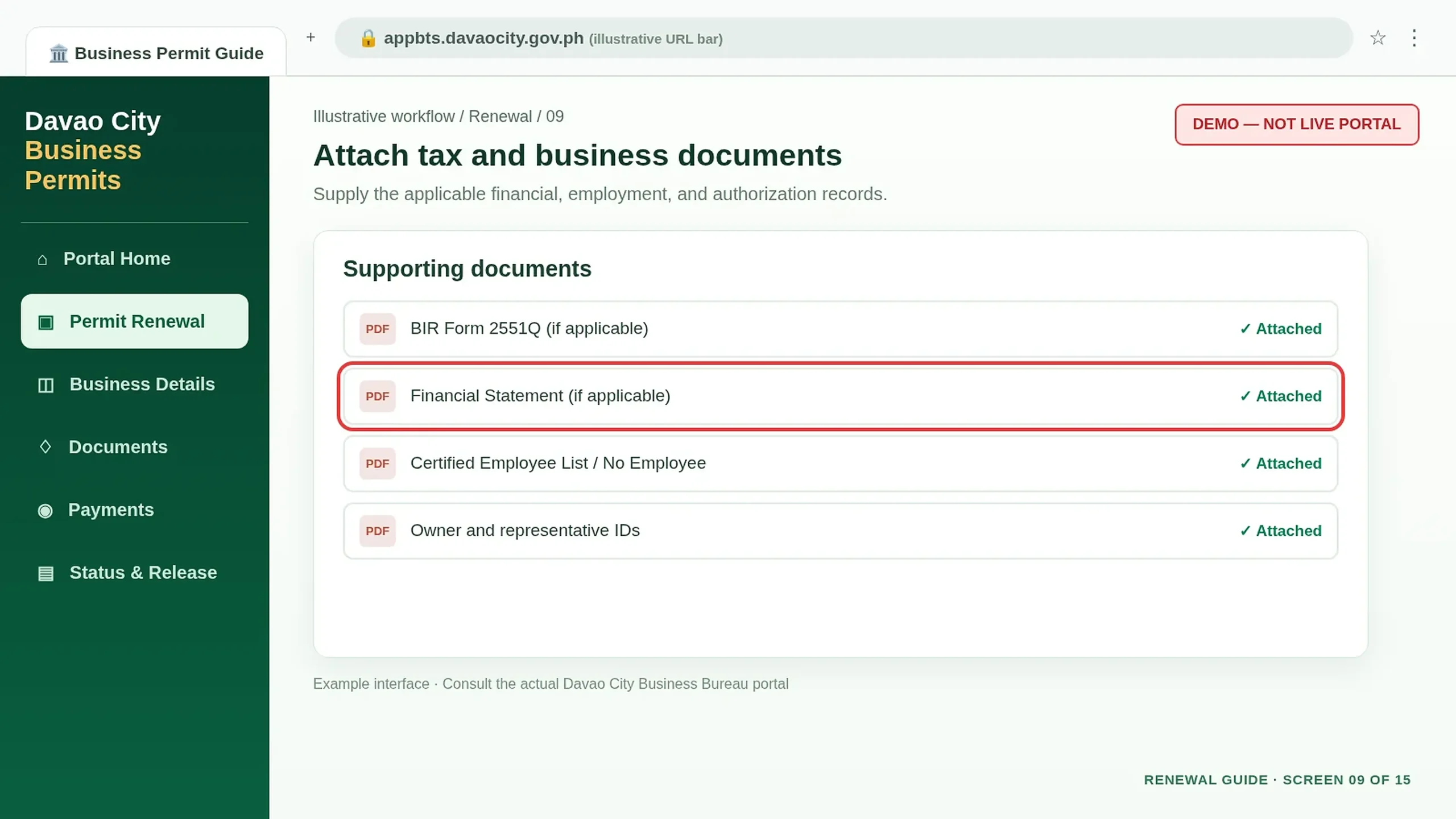
Provide Employee and Identification Records
Attach the Certified List of Employees or Certification of No Employee and applicable government IDs when requested.
Attach Fire Safety and Agency Documents
Provide the Fire Safety Inspection Certificate (FSIC) and activity-specific regulatory certificates requested for your business.
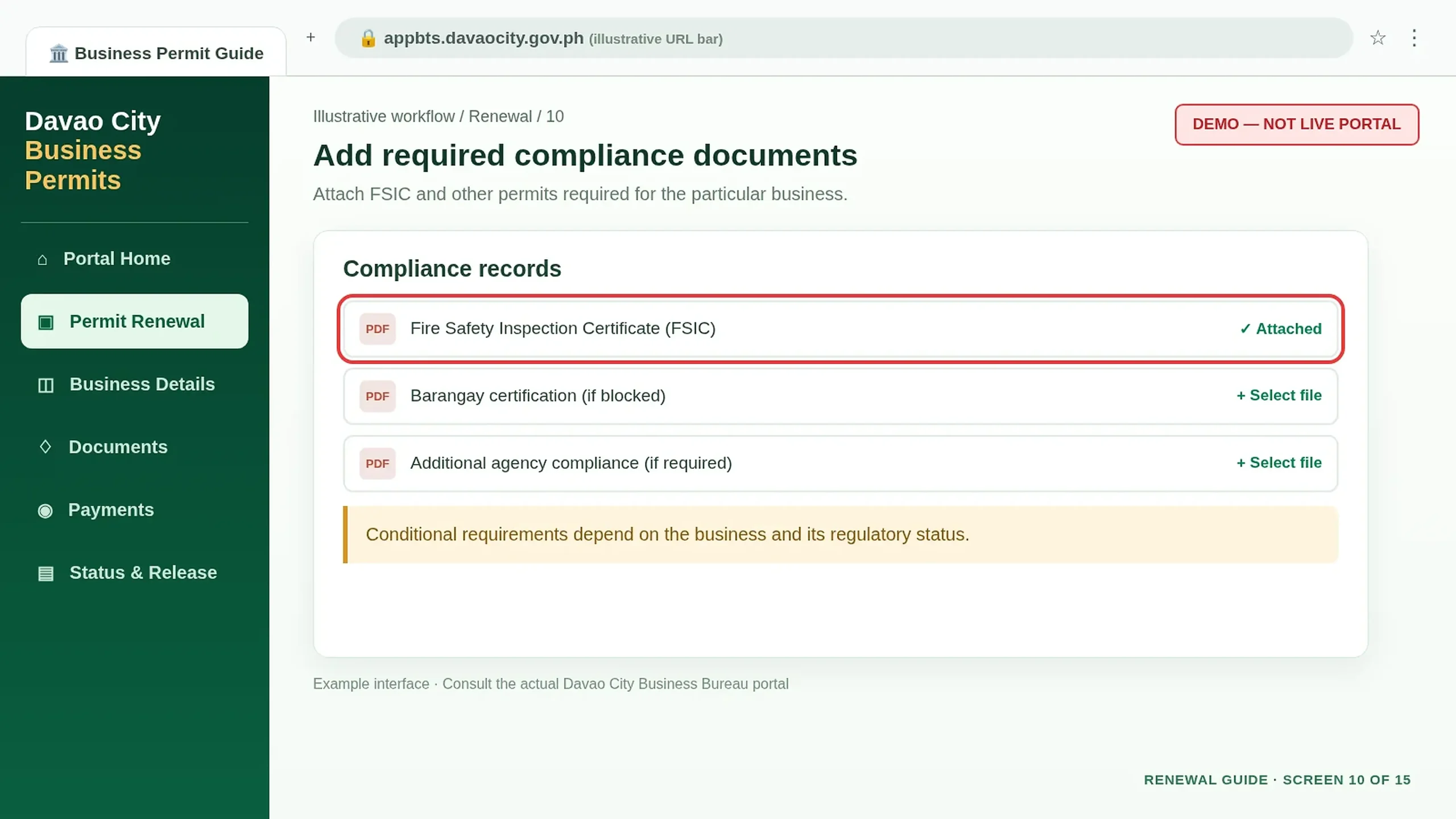
Check Barangay-Related Restrictions
The Business Bureau lists Barangay Certification for blocked cases. Follow the relevant Regulatory Office’s instructions if your record is blocked.
Review Every Field and Attachment
Check contact details, registered business information, reported figures and uploaded files. Confirm only when everything is accurate.
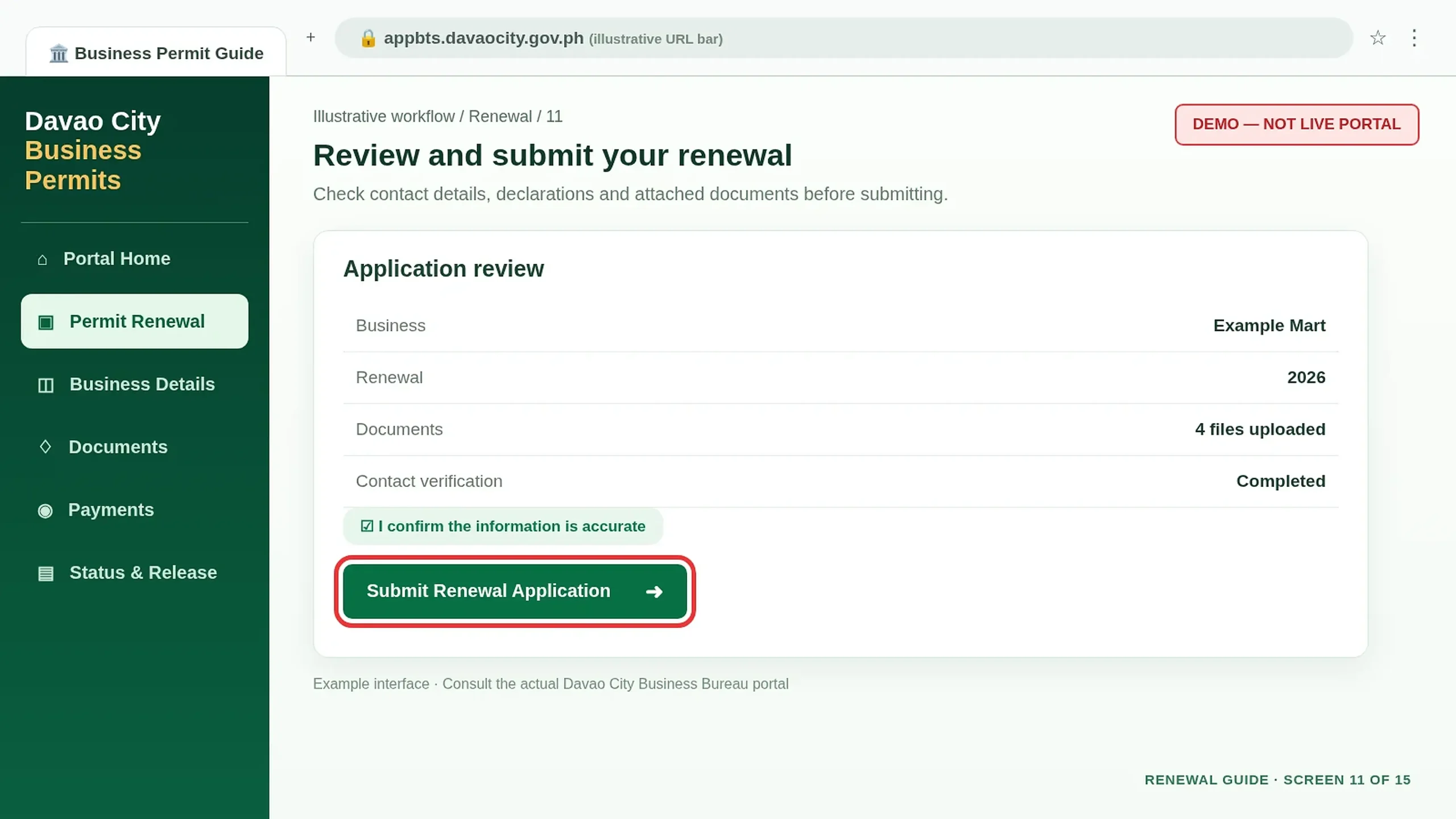
Submit the Renewal Application
Use the live portal’s submit control to send your completed form and documents. Keep any official acknowledgement or reference issued.
Assessment & payment
Check the official fee assessment and pay through an authorized channel.
Read the Official Assessment
Check the amount assessed by the City Treasurer. Business taxes are based on gross income; the Mayor’s Permit fee is based on asset size and business nature.
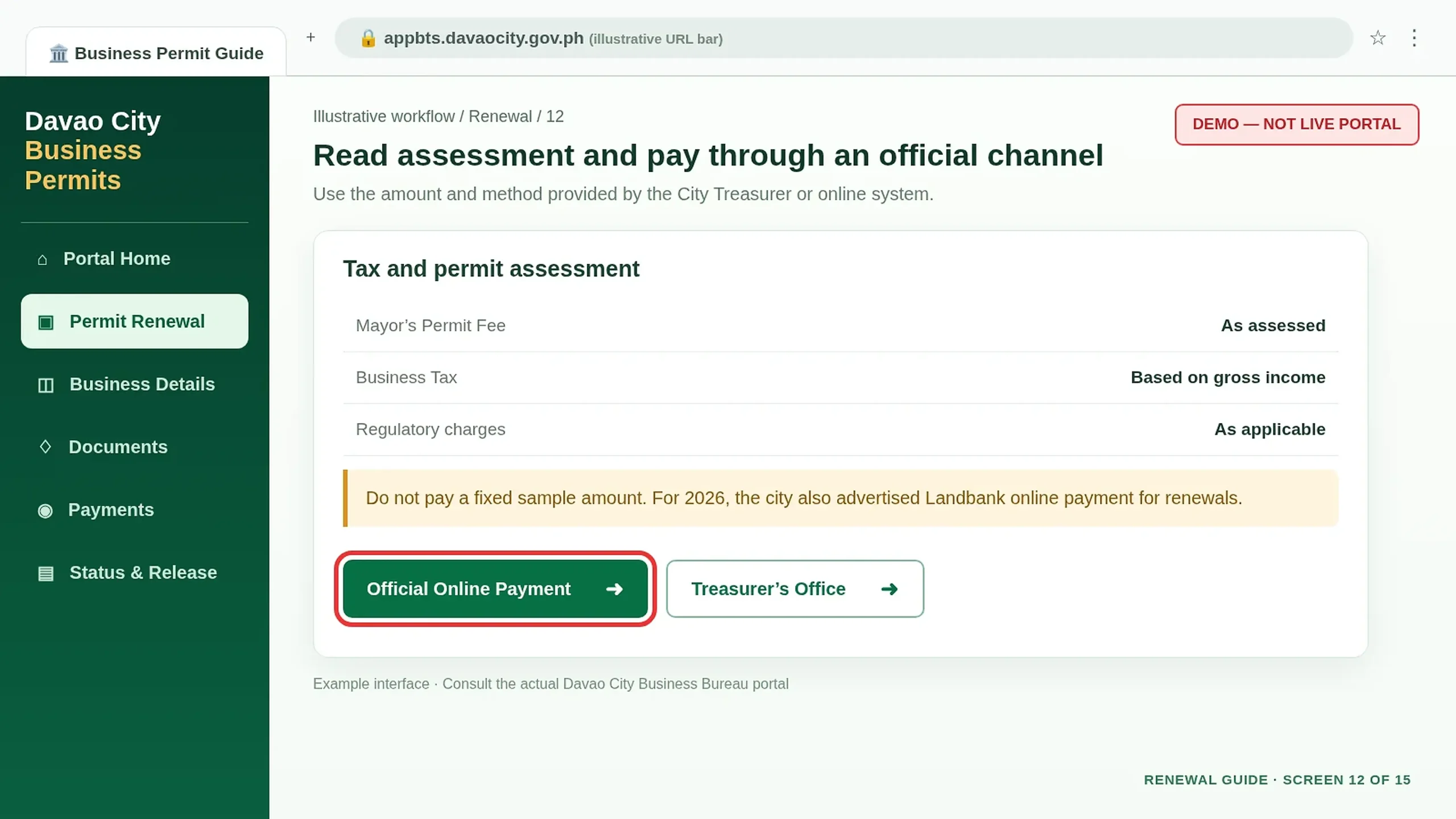
Select an Authorized Payment Channel
The 2026 announcement confirms online Landbank payment; the Charter also documents City Treasurer’s Office payment. Use the option offered for your actual transaction.
Pay and Retain Your Receipt
Pay only the assessed amount through the official channel. Save payment confirmation and do not pay again merely because the status has not updated.
Approval & permit release
Follow your renewal status, obtain the issued permit and complete the final pickup.
Monitor the Application Status
After filing and payment, check the status through the official permit system. Additional regulatory review may be required before issuance.
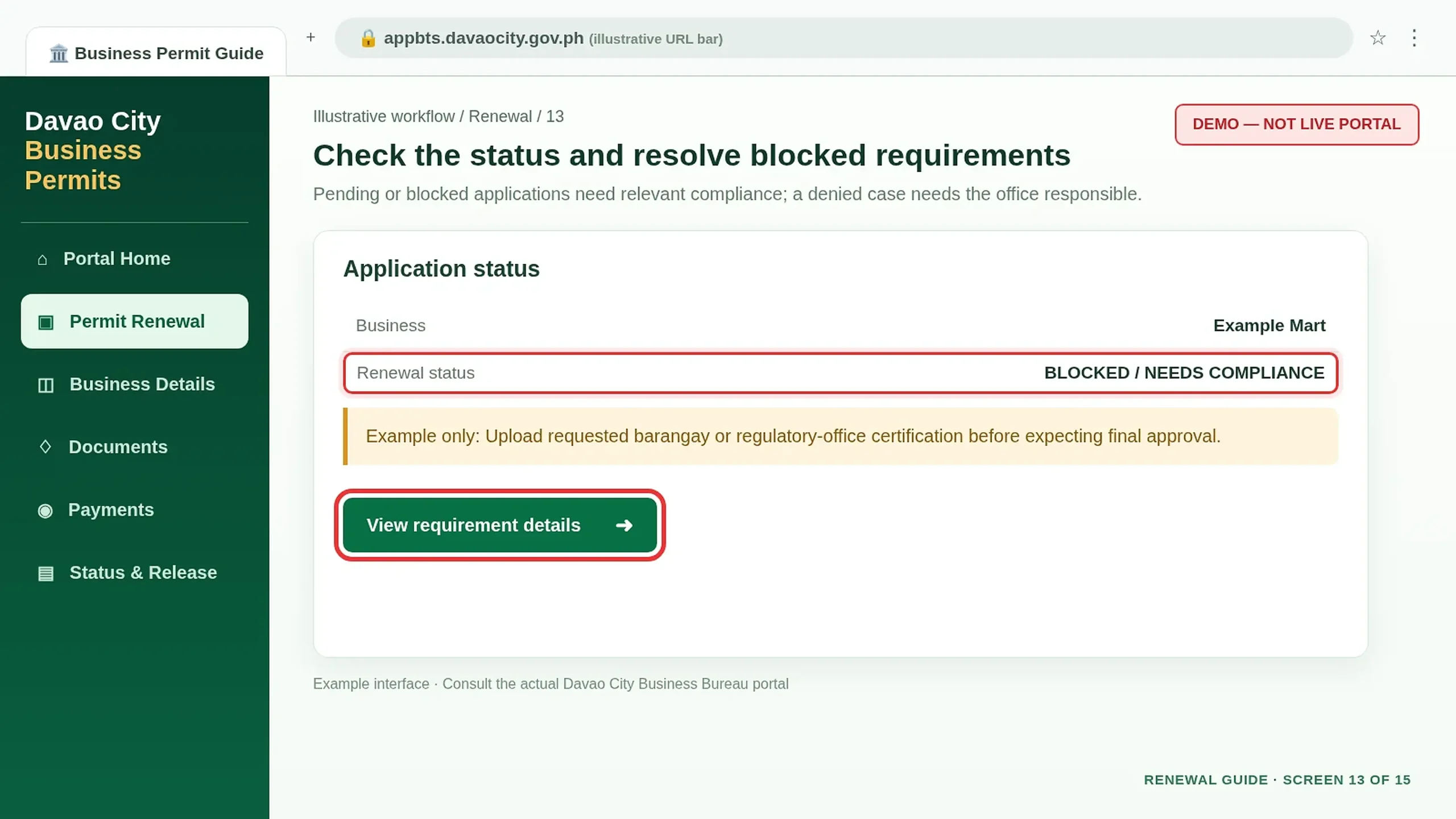
Resolve Pending, Blocked or Denied Results
For pending or blocked records, comply with requirements from the responsible Regulatory Office. For a denied case, ask that office for the reason and next steps. Payment is not approval.
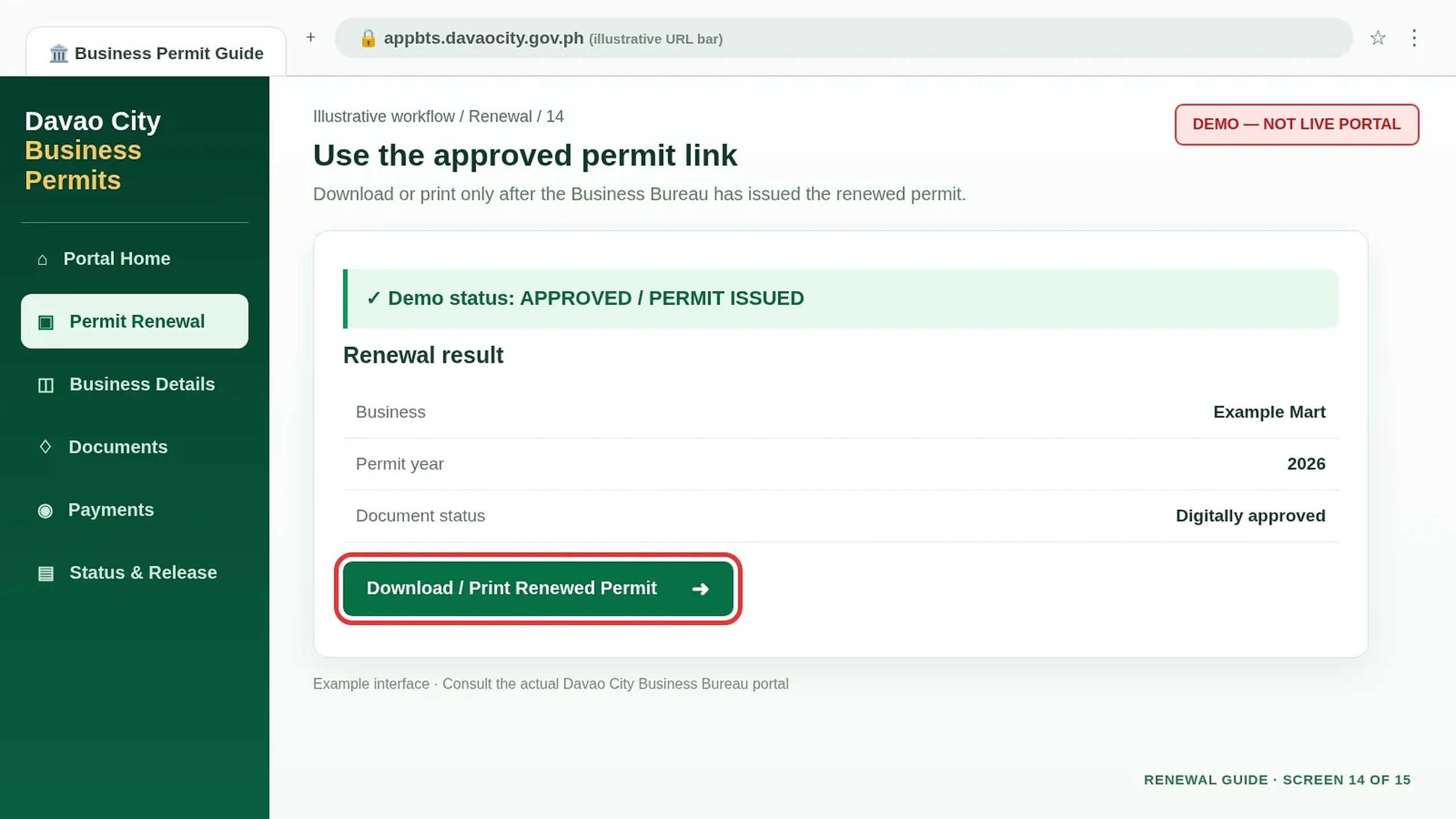
Download the Approved Renewal Permit
After the Business Bureau approves and digitally issues the permit, download or print it using the live portal or official email link. Check the business details and permit year.
Claim Your Business Sticker
The 2026 online procedure says to collect the Business Sticker at the Business Bureau office after approval. Bring the documents requested by staff.
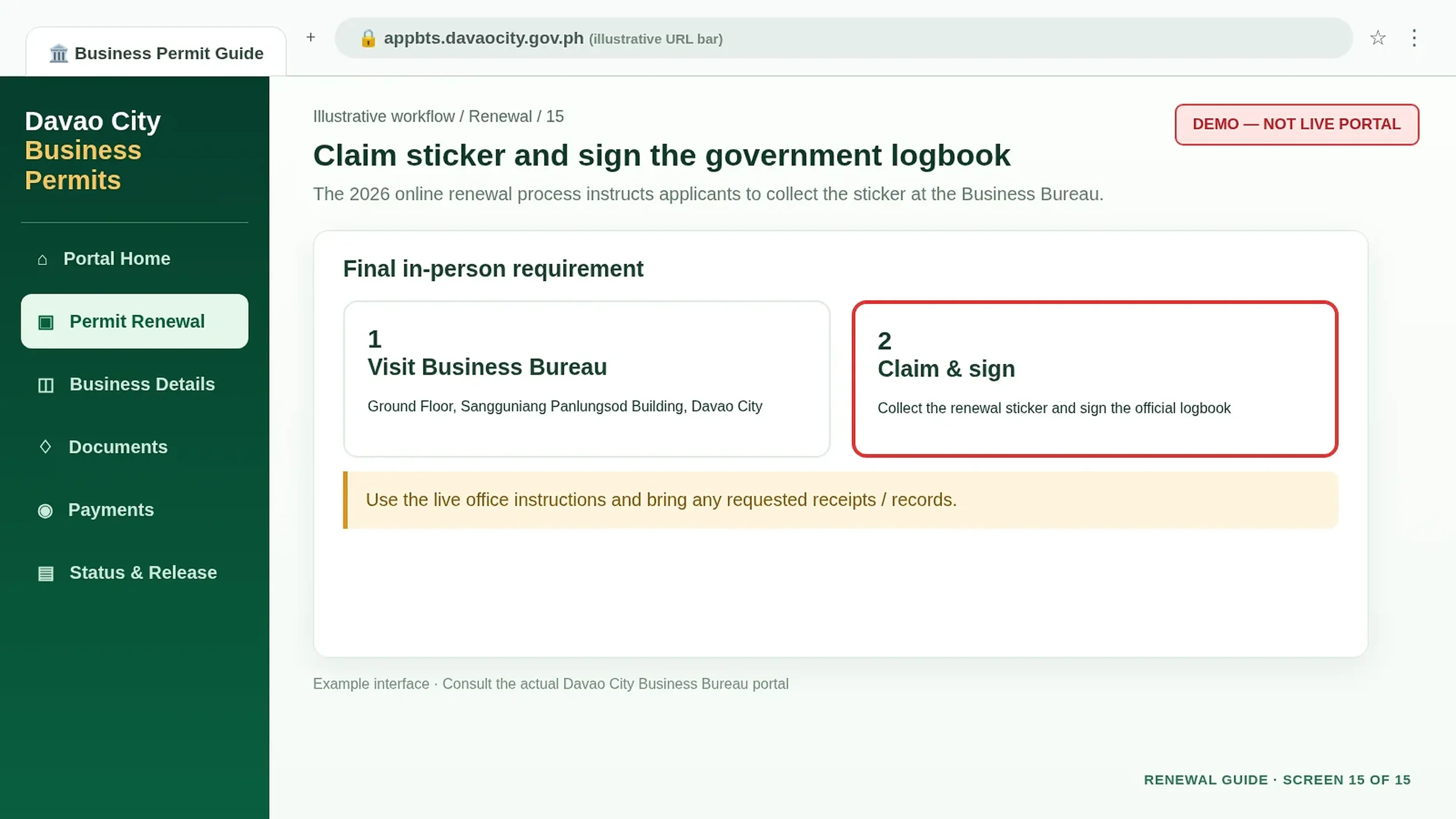
Sign the Official Logbook
Follow the Business Bureau’s release instructions and sign the logbook when claiming the sticker.
Keep Your Renewed Permit and Records
Store the issued permit, receipt, reference number and compliance documents. Check next year’s official renewal announcements rather than relying on old schedules.
Prefer to Renew In Person?
The 2026 Citizen’s Charter also documents an onsite renewal route for businesses not completing the whole process online.
Onsite Renewal Sequence
- Bring renewal documents to the Business Bureau or designated official venue.
- Present the existing permit record and request assessment.
- Receive the renewal form and have documents checked.
- Resolve any blocked or denied regulatory status.
- Proceed to the City Treasurer’s Office for assessment and payment.
- Present the renewal application, official receipts and relevant records for release.
- Collect the renewed permit and sticker, then sign the logbook.
Fees, Processing Time & Office
Fees: No universal fixed amount. Permit charges depend on assets and business nature; taxes depend on gross income.
Published processing estimates: 2026 Charter lists 1 hour 45 minutes for online renewal stages and 2 hours 5 minutes for onsite stages. These are agency processing estimates, not guaranteed total waiting times.
Office: Ground Floor, Sangguniang Panlungsod Building, San Pedro Street, Davao City.
Important: Blocked or denied records may need additional regulatory compliance even when tax assessment or payment is allowed to proceed.
Renewal Problems & Solutions
01Access Code Not Arriving+
Check email, phone number, spam and SMS folders. Contact the Business Bureau if verification remains unavailable.
02Business Record Not Found+
Check the legal business name and previous permit details before creating any duplicate application.
03Document Rejected+
Make sure it is current, readable and matches your business information. Resubmit through official channels.
04Status Blocked or Denied+
Identify the responsible Regulatory Office, meet its requirements and verify clearance. Payment does not guarantee approval.
05Payment Not Showing+
Save the official receipt and verify payment posting before trying again.
06Renewed Permit Unavailable+
Wait for the Business Bureau’s final issuance. Check outstanding requirements before requesting official assistance.
Start Your Business Permit Renewal
Official references: Business Bureau Renewal Guide and 2026 Citizen’s Charter, Volume I . Independent guidance only.