
Davao City Business Permits & Licensing Guide
Your guide to new business permits, renewals, and licensing services in Davao City.
Learn about required documents, online applications, permit assessment, payments, and approval. Follow clear instructions and find official Business Bureau resources for your transaction.
Independent information website. DavaoCityPortal.org is not affiliated with or endorsed by the City Government of Davao. Applications and approvals are handled by official government offices.
How to Apply for a New Business Permit in Davao City
Planning to open a business in Davao City? Check the official requirements, submit a new permit application, complete pre-assessment, follow regulatory instructions and receive the approved permit.
This guide follows the City Government of Davao’s 2026 Citizen’s Charter. Portal screenshots are included for guidance. The official portal interface may change over time.
2026 New Business Permit Requirements
The Citizen’s Charter lists the documents below. Not all conditional documents apply to every applicant. Select the requirements for your ownership type, premises, delivery vehicles and regulated business activity.
1. Basic application documents
- Completed Unified Application Form (one original for physical filing).
- Business location sketch (one original).
- Certified list of employees or certificate stating there are no employees (one original, notarized).
- Valid IDs of applicable owners, representatives or corporate secretary (photocopies).
2. Proof of registered business
- DTI registration for a sole proprietorship.
- SEC registration and Articles of Incorporation for partnerships or corporations.
- CDA Certificate / Articles of Cooperation for a cooperative.
- DOLE/POEA or DHSUD registrations only where the business activity requires them.
3. Business premises & authorization
- Lease contract and lessor’s ownership proof when required for rented premises.
- Proof of property ownership for premises you own.
- Owner consent and supporting ownership proof where the location is used with permission.
- Special Power of Attorney, Partnership Resolution or Secretary’s/ Board Certificate when represented, as applicable.
4. Vehicles & special compliance
- Vehicle OR/CR for each delivery vehicle, if applicable, plus consent if a vehicle is not owned by the applicant.
- Valid Fire Safety Inspection Certificate from the Bureau of Fire Protection.
- Other activity-specific documents required by the relevant regulatory agency.
- Keep additional files requested during pre-assessment and final release.
Note: The official checklist, accepted file formats and stage at which a document must be supplied are determined by the government system. Review current instructions before paying for or notarizing records.
Complete the New Permit Process
Small actions are separated to make the process easier to follow. Screenshot images highlight the important screen actions without repeating a screenshot for every sentence.
Online Pre-Assessment
Complete the applicant details, upload documents and submit the initial form.
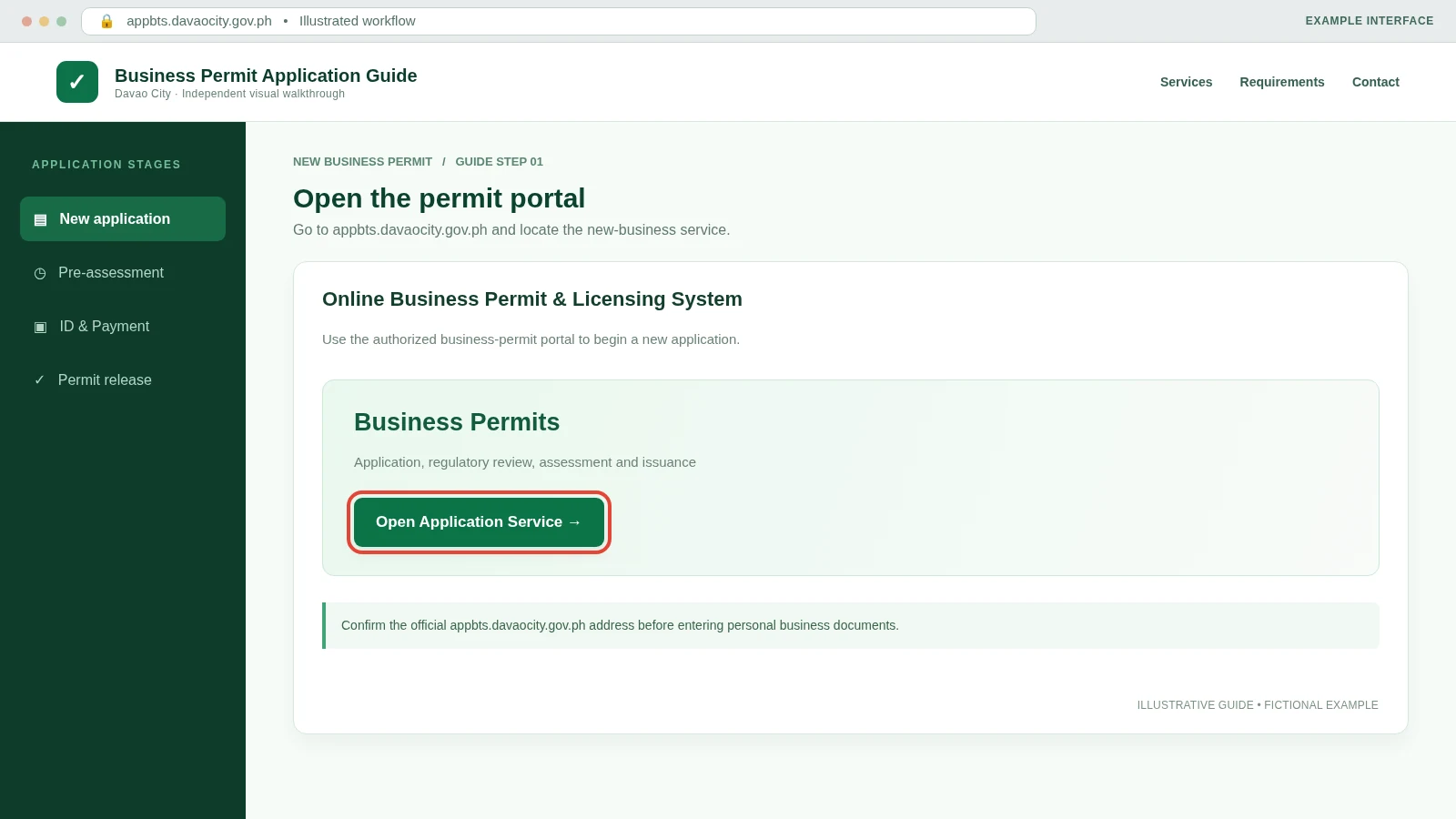
Visit the Official Business Permit Portal
Open appbts.davaocity.gov.ph . Use the official system for new business permit applications and follow any sign-in instructions actually displayed.
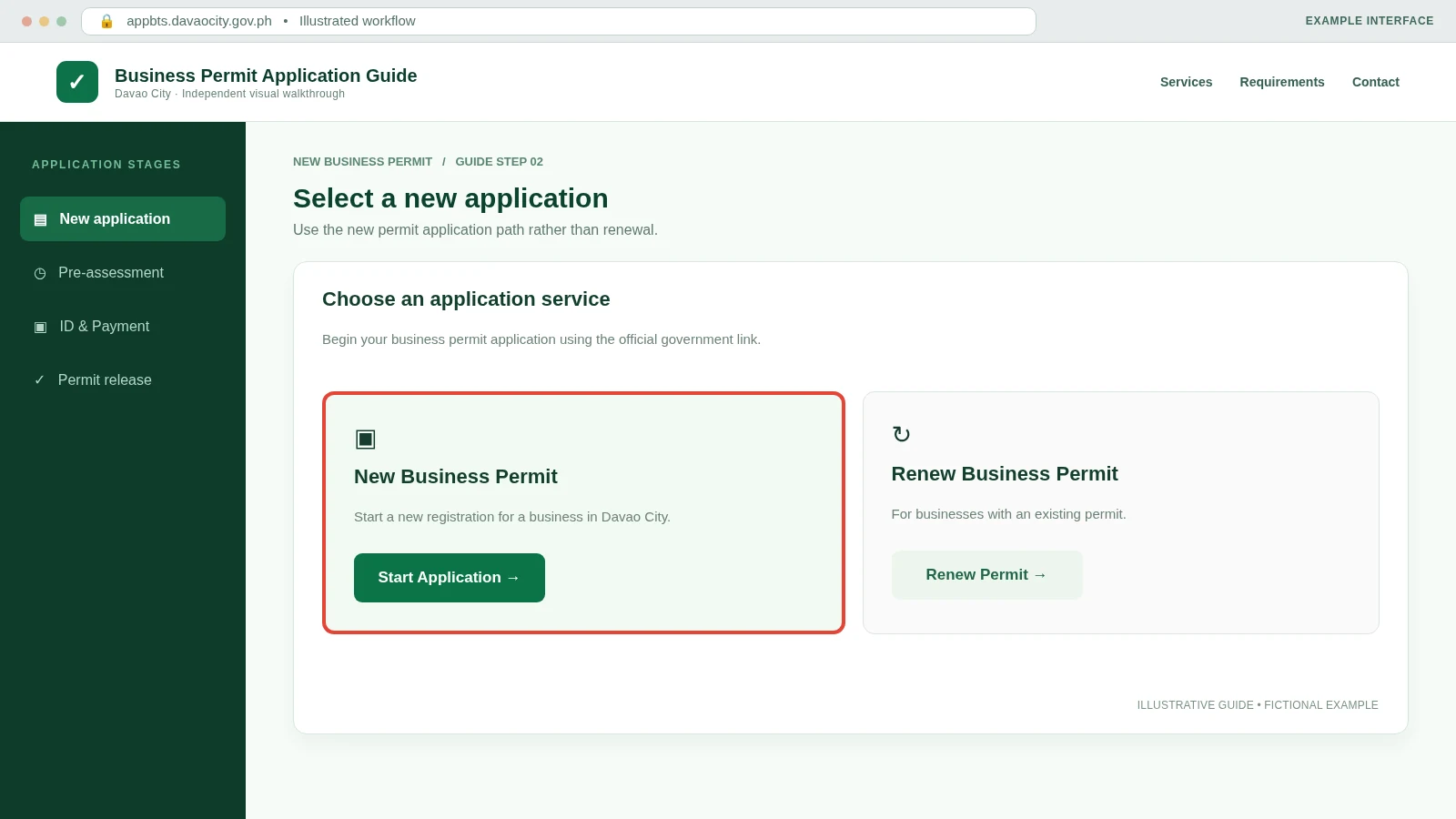
Choose the New Business Permit Route
Choose the option for a new application rather than an existing-business renewal. If the portal labels this differently, follow its new-application instructions.
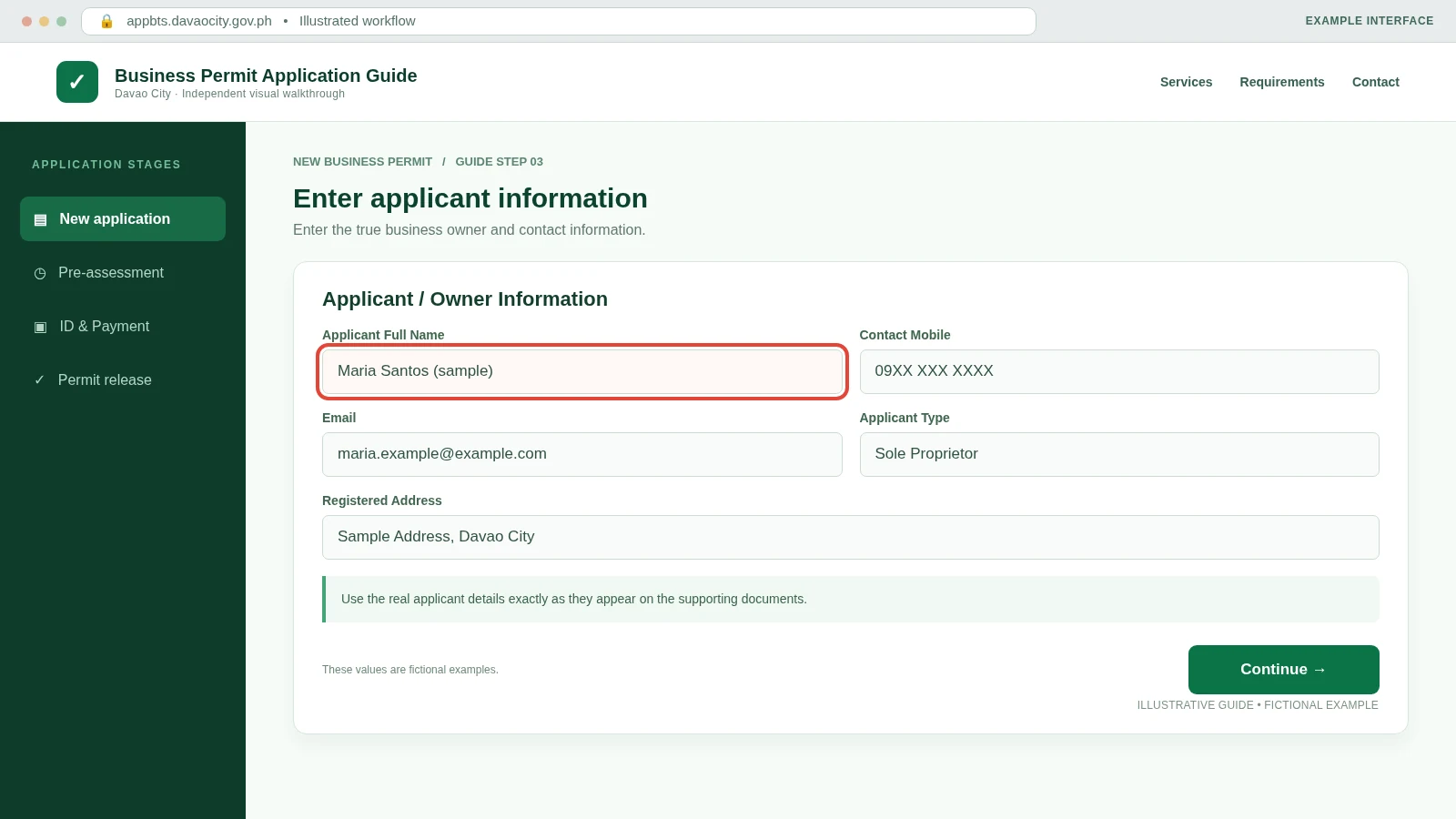
Enter the Applicant or Owner Name
Fill in the legal owner/applicant information accurately. Names should correspond to the DTI, SEC or CDA records for the business.
Enter Valid Contact Details
Provide the genuine email address and contact number requested by the application. These are important because the published process sends an access code by SMS or email.
Fill in Registered Business Information
Enter the registered business name, ownership type and declared business activity. Avoid choosing the wrong line of business, because different activities can have additional regulatory requirements.
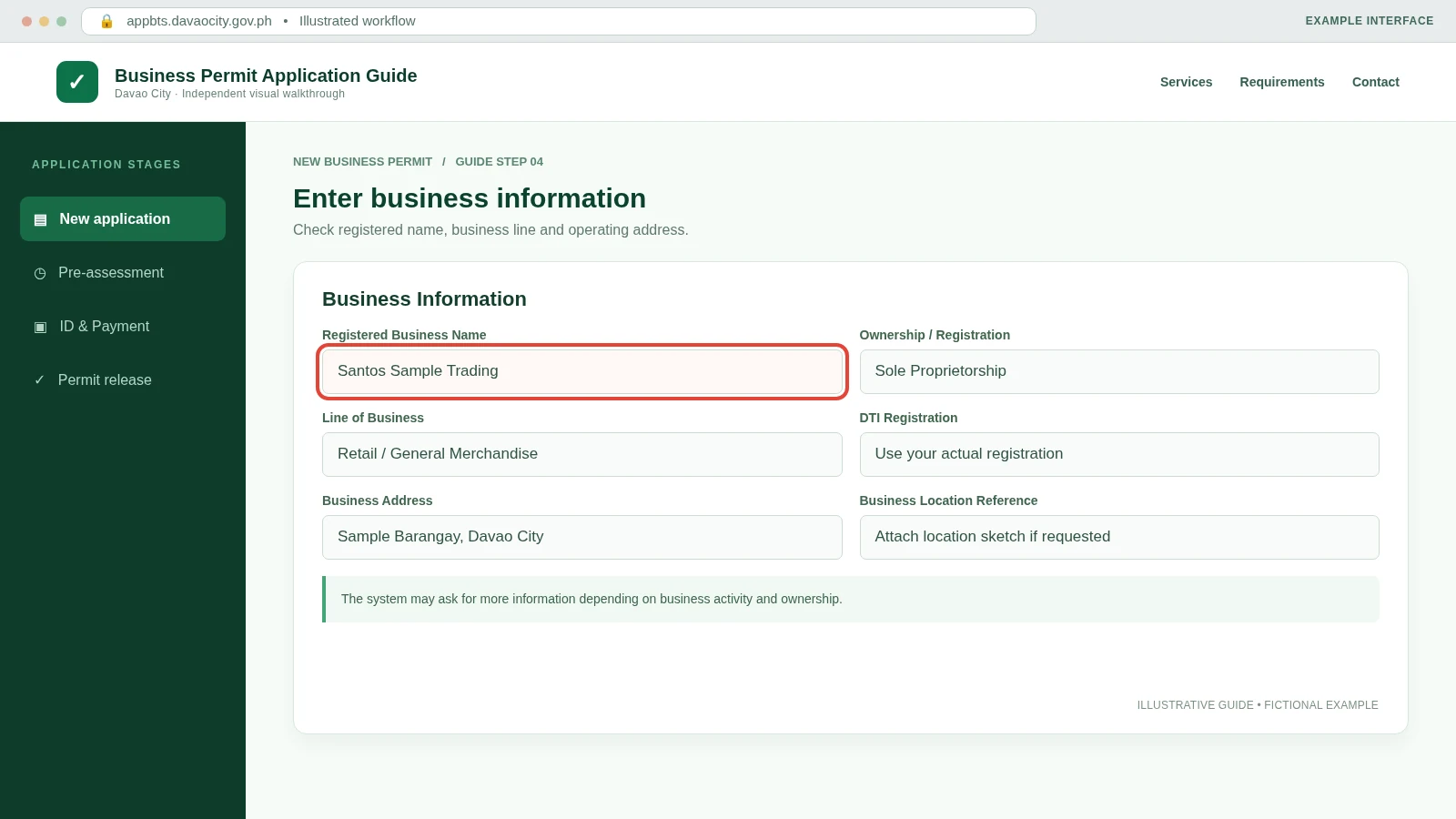
Check the Business Address & Location
Provide the correct barangay, full business address and location details requested by the form. Make sure these match your location sketch and lease/ownership/consent records.
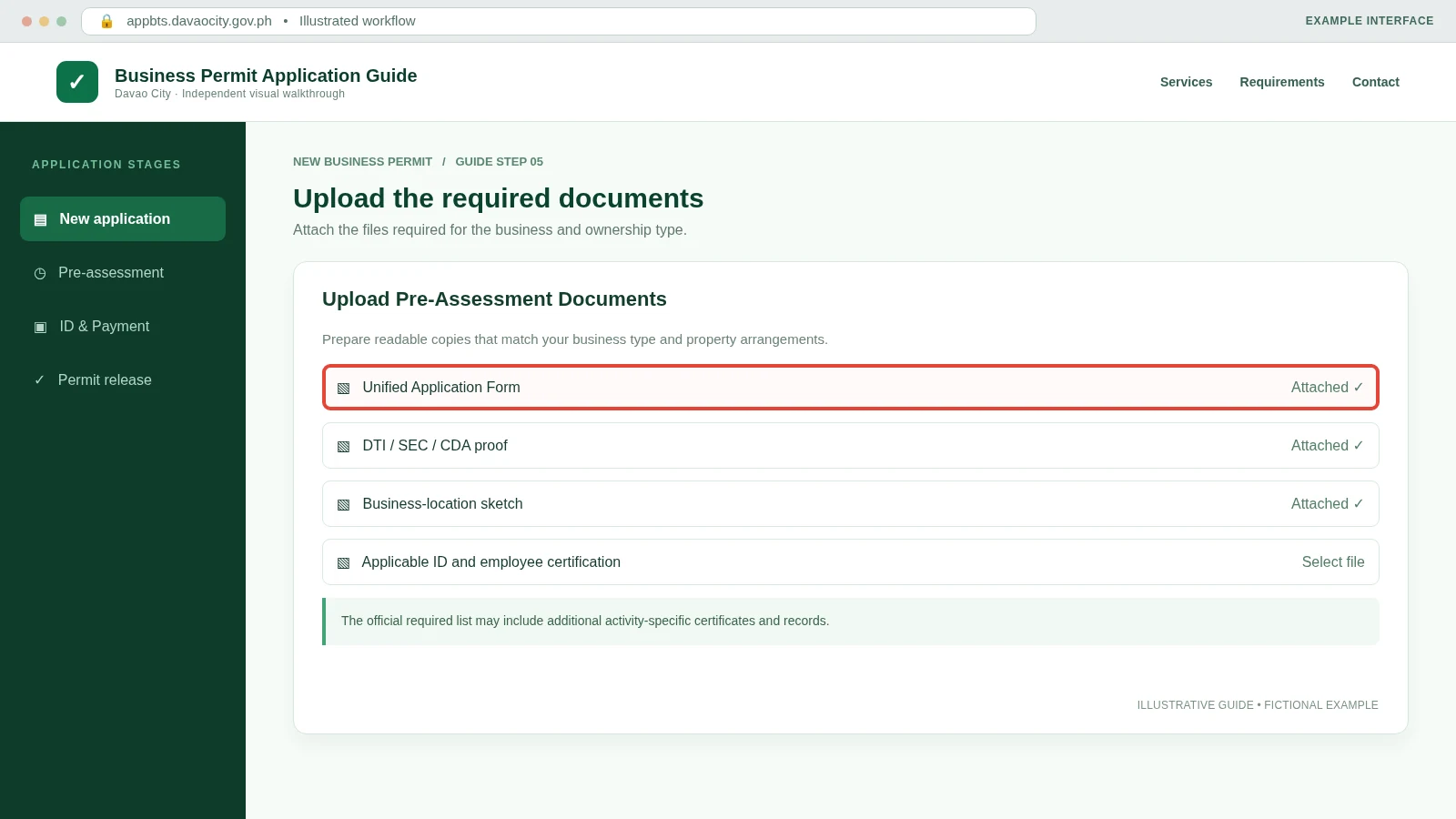
Upload the Initial Required Documents
Attach the documents applicable to your business structure and premises. Use readable files that match the names and details shown in your application.
Check Every Uploaded File
Before proceeding, make sure each required document is attached to the correct field and is readable. Documents needed for a regulated business may differ from those for an ordinary retail establishment.
Review Your Filled Application
Recheck owner details, business name, business line, address, registrations and attachments. Correct wrong information while the form still allows edits.
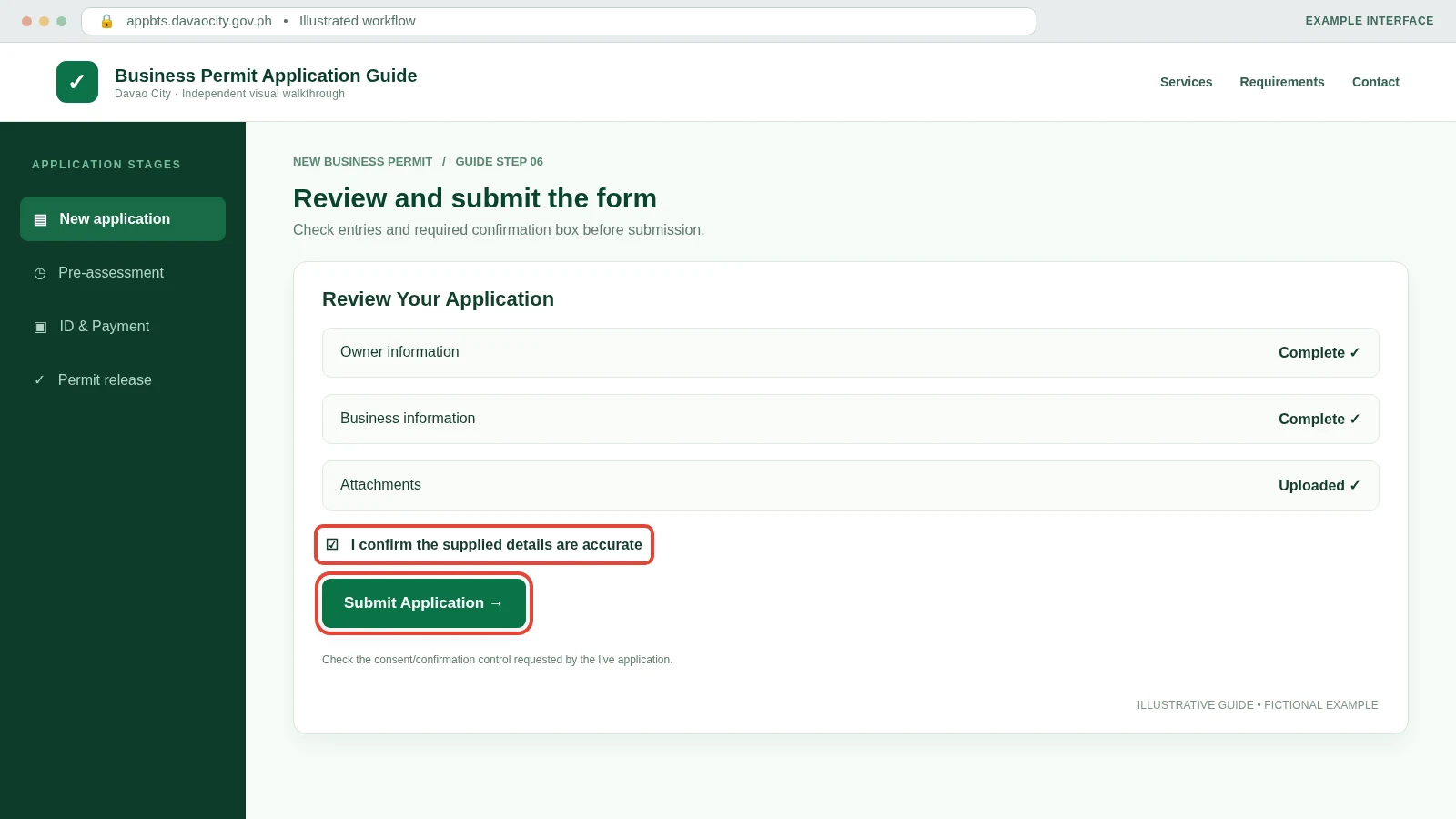
Tick the Confirmation Checkbox
The 2026 Citizen’s Charter instructs applicants to check the confirmation box before submitting the completed online form.
Submit the Pre-Assessment Application
Press Submit after reviewing everything. Wait for confirmation from the official system; submitting does not yet mean the final business permit is approved.
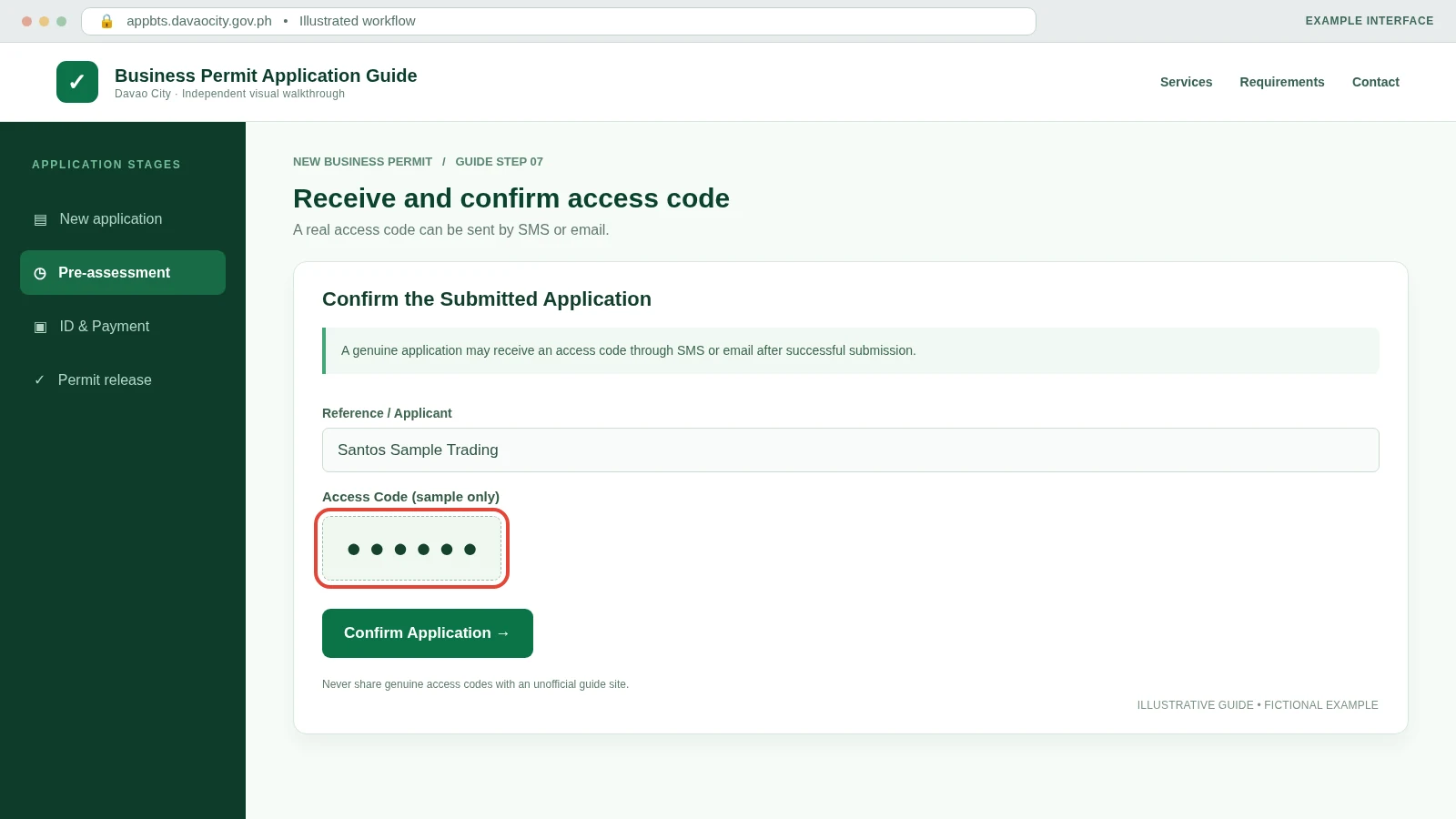
Receive the Access Code
After a successful pre-assessment submission, the official workflow provides an access code by SMS or email. Keep it private.
Confirm the Submitted Application
Use the received access code or the method instructed by the government portal to confirm your application.
Regulatory Review
Check your application status and resolve outstanding requirements, if any.
Check the Pre-Assessment Status
Return to the application-status area as directed by the portal. The Business Bureau verifies the online form and documents for approval by the relevant regulatory offices.
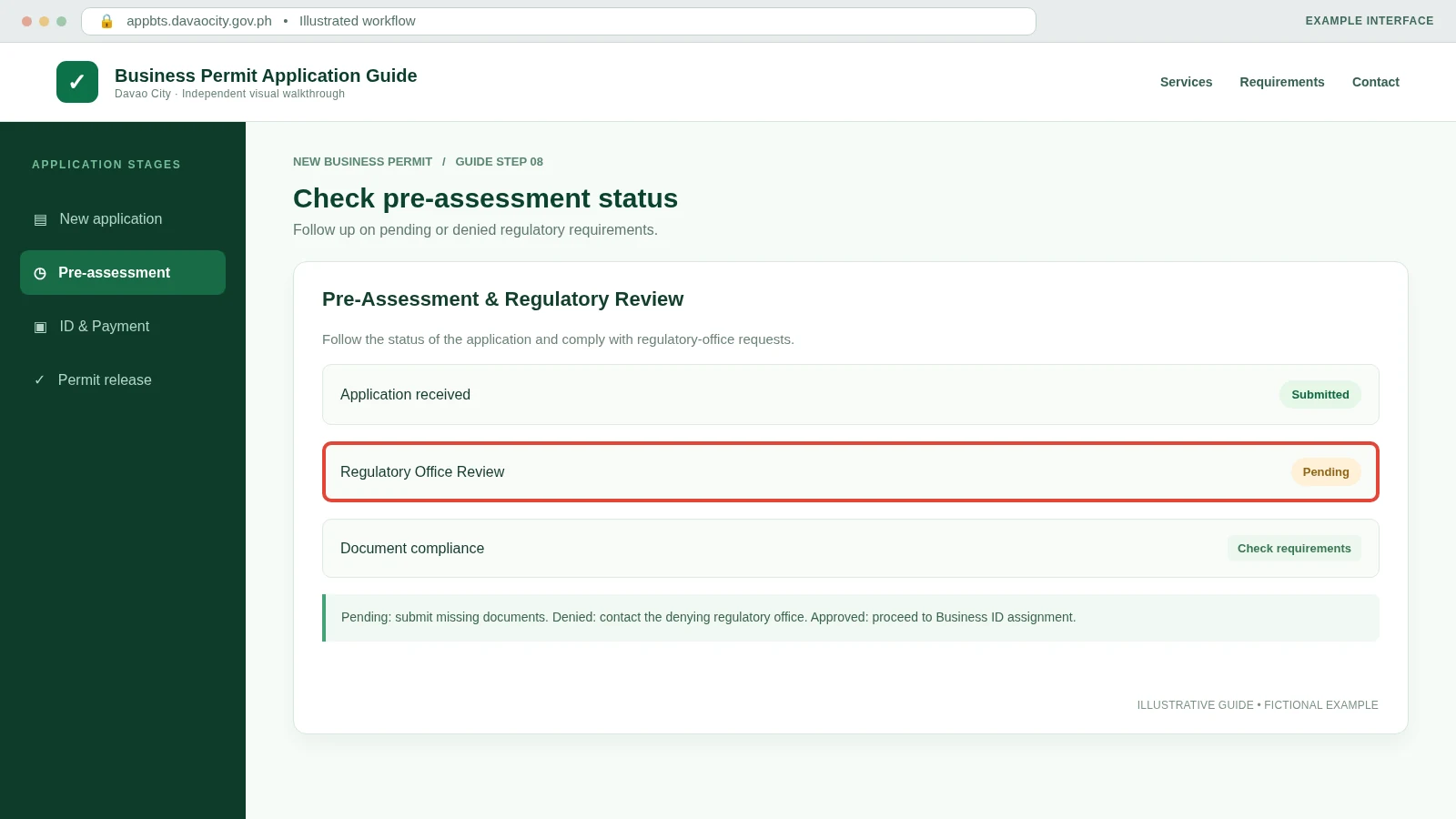
Resolve Pending or Denied Requirements
If the application is pending, comply with outstanding requirements. If denied, contact the regulatory office that denied it for the reason and next steps. Do not assume a pending application is approved.
Business ID & Payment
Continue through Business ID assignment, assessment, authorized payment and final review.
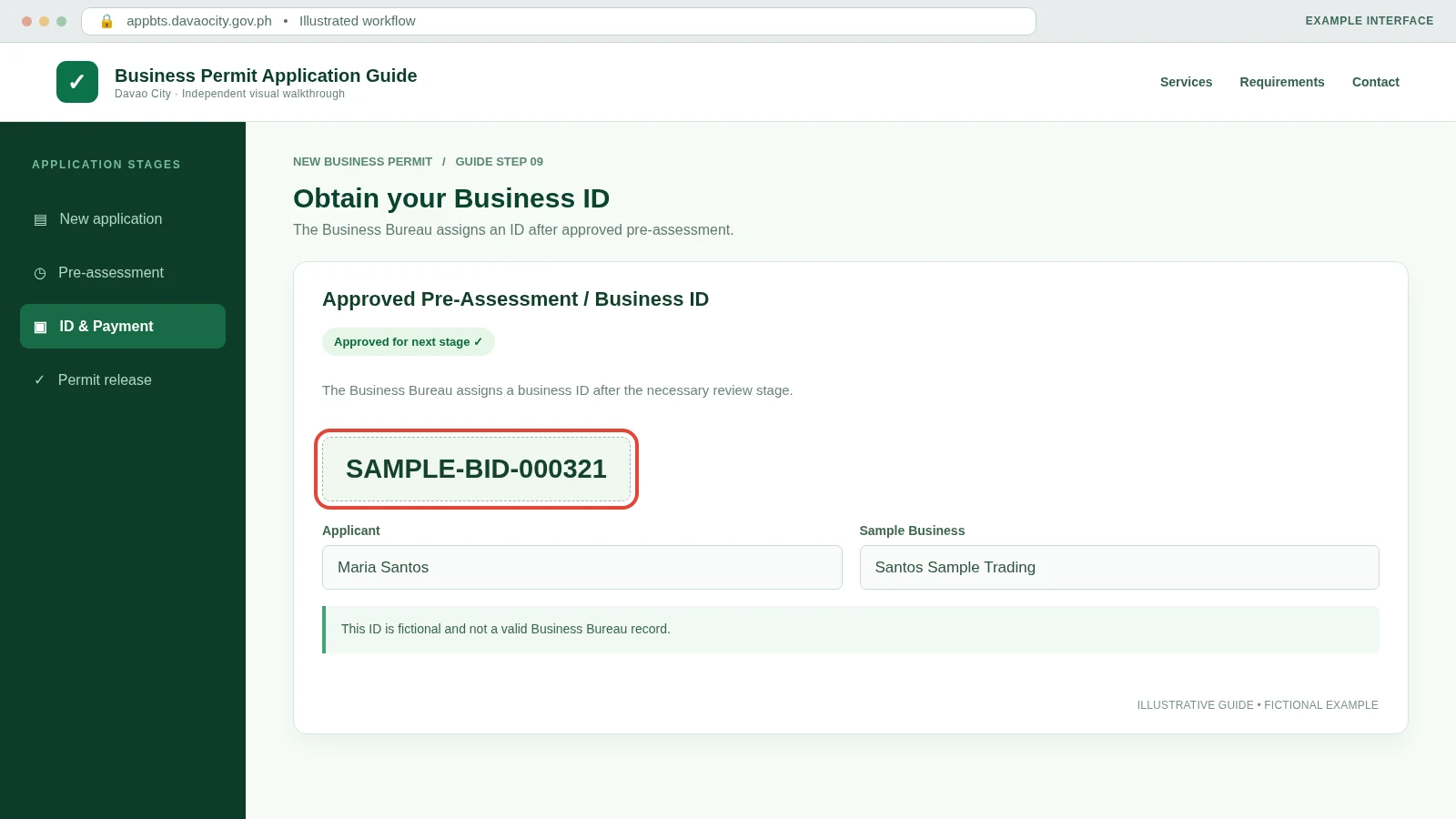
Receive the Business ID After Approval
Once regulatory pre-assessment is approved, the Business Bureau records additional application details and assigns a Business ID number for the permit process.
Review the Official Assessment
The City Treasurer assesses applicable permit fees. The 2026 Charter says the Mayor’s Permit charge varies according to business assets and nature of business; there is no universal fixed fee.
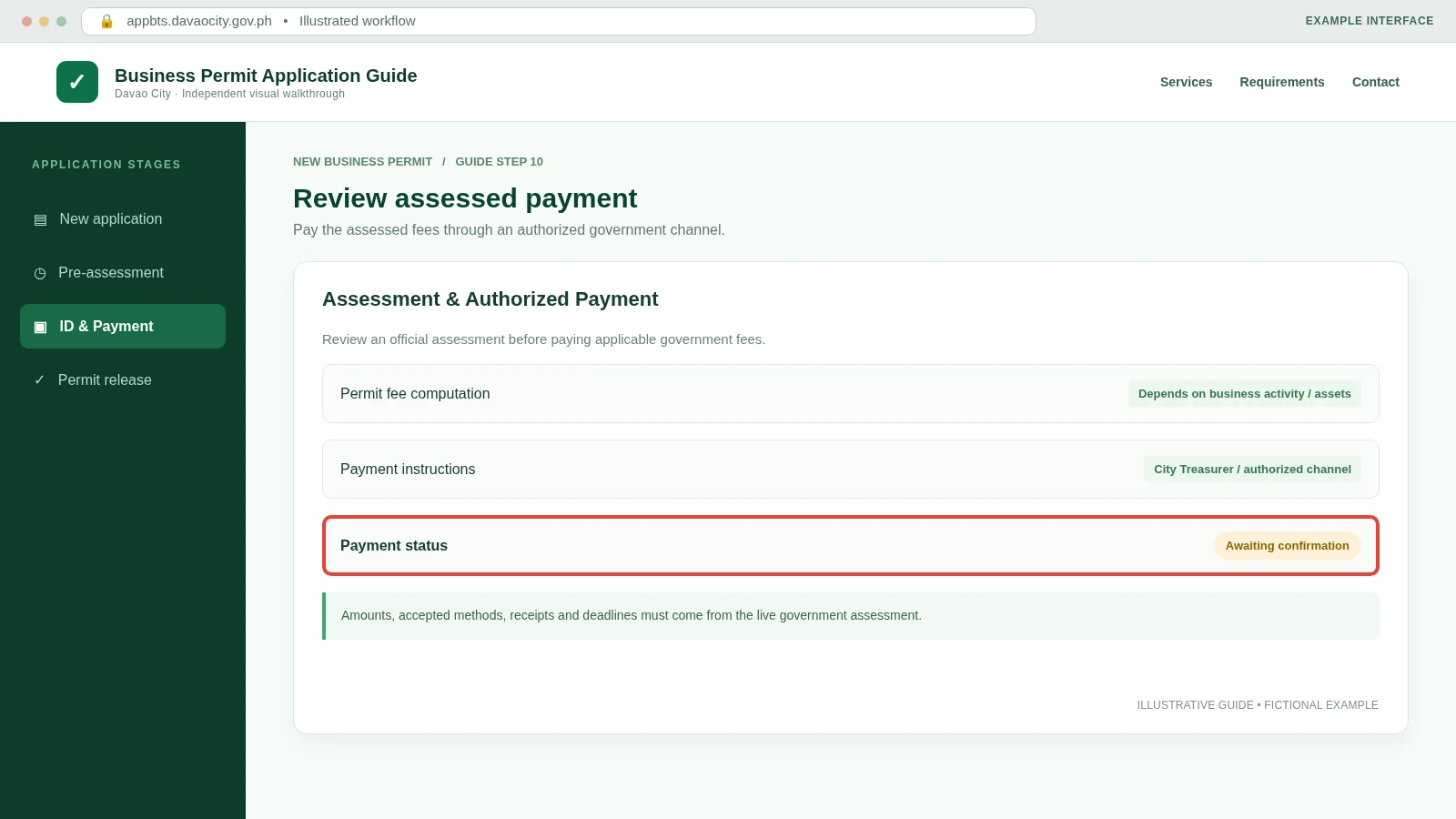
Pay Through the Authorized Channel
Follow payment instructions provided by the City Treasurer or live government system. The 2026 Charter describes the City Treasurer’s Office payment stage; online payment options should be used only if the official portal offers them for your transaction.
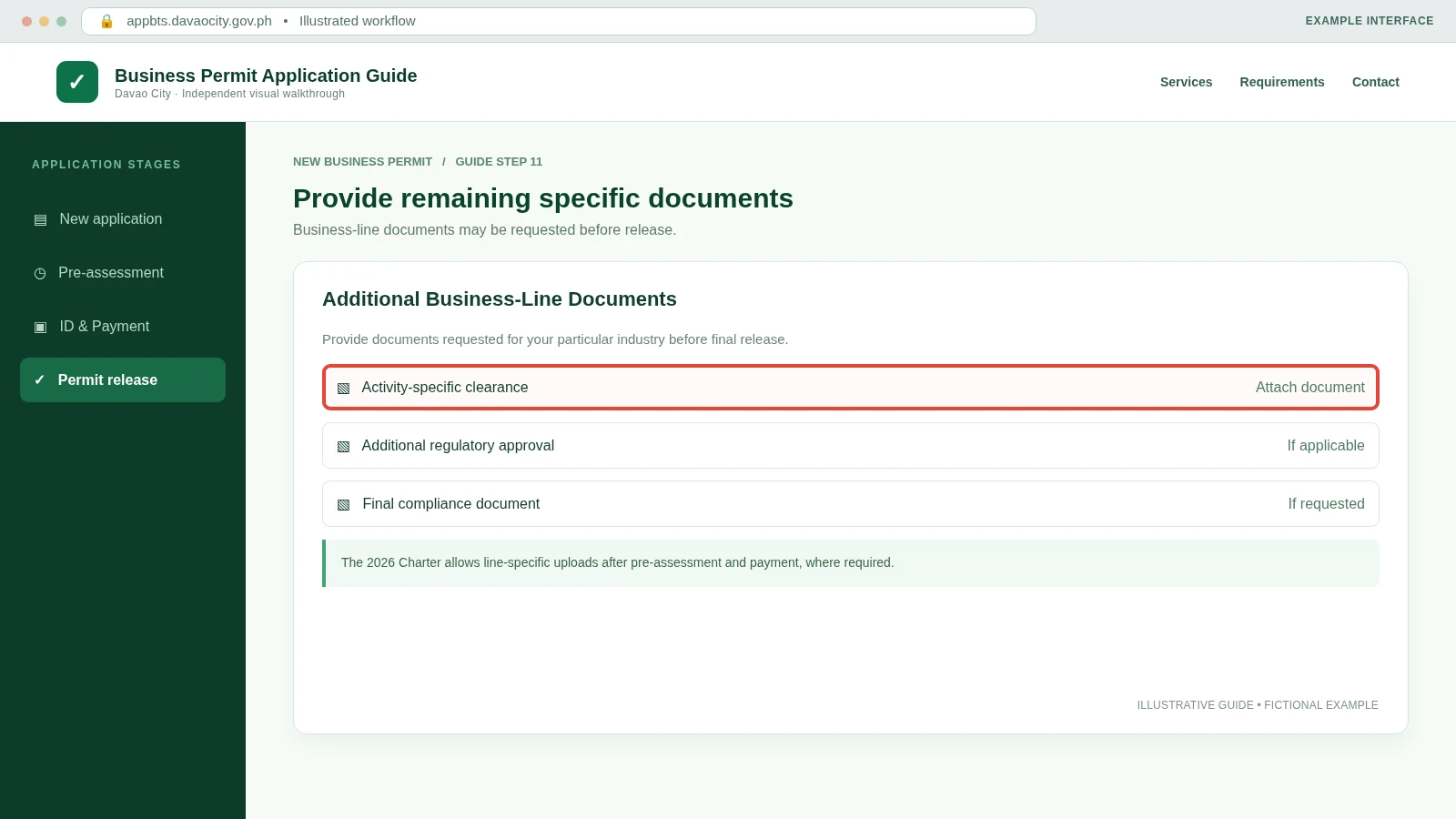
Upload Any Remaining Business-Line Documents
For some business activities, documents not required during initial pre-assessment must be uploaded before release. Follow the specific compliance requests shown for your application.
Wait for Final Approval and Issuance
The Business Bureau checks the recommended approval, reviews the application and completes final approval. Payment alone does not mean the permit has been issued.
Approved Permit & Plate
Download the issued permit, claim required items and keep your transaction records.
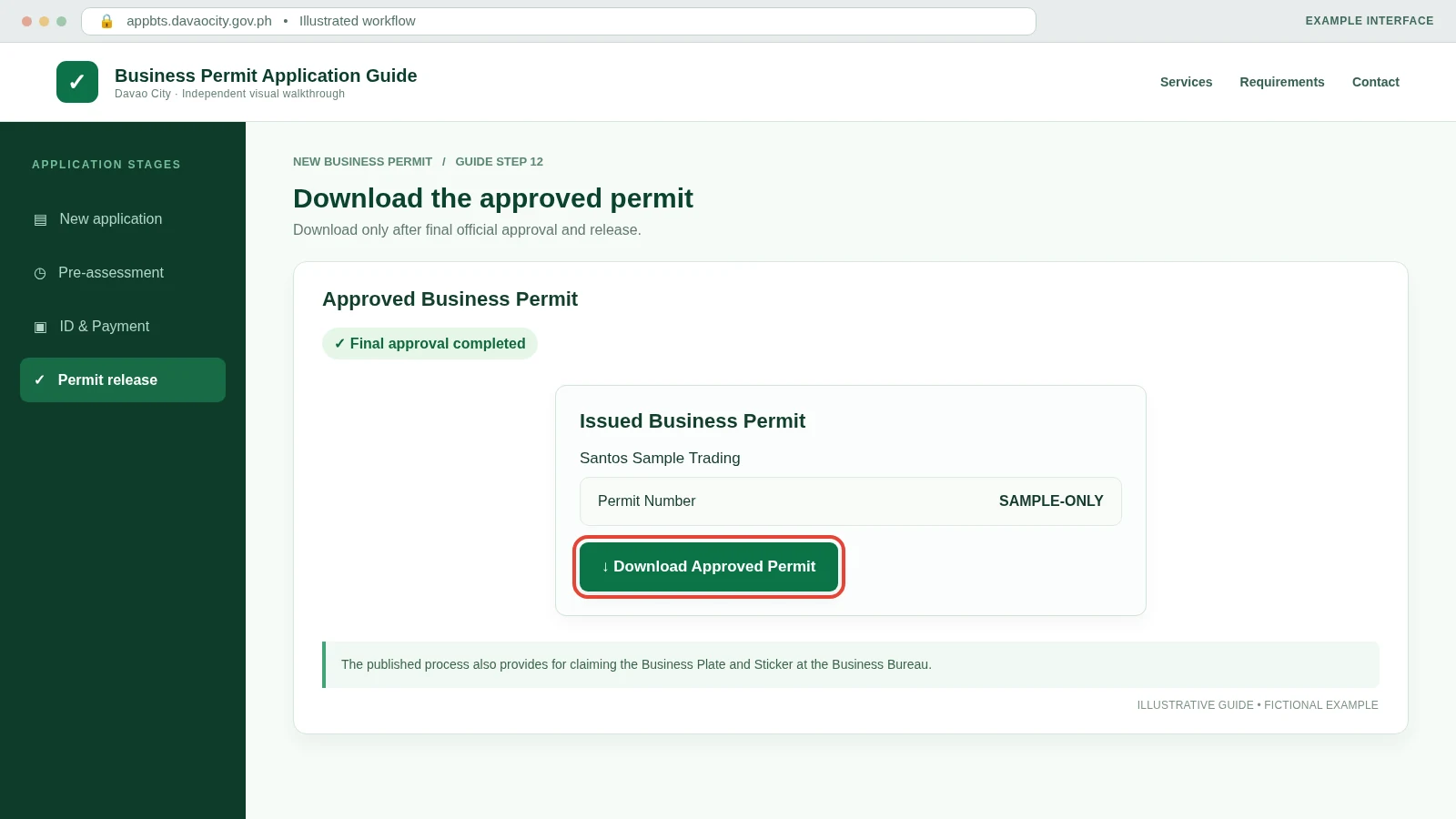
Download the Approved Business Permit
When final approval and issuance are shown, use the portal’s approved-permit download option. Confirm the business name and permit details on the downloaded document.
Claim the Business Plate and Sticker
The 2026 online process directs applicants to claim the Business Identification Plate and Sticker from the Business Bureau and sign the logbook as instructed.
Keep the Permit and Transaction Records
Save your issued permit, official payment records, genuine Business ID and supporting documents. Check renewal requirements before the permit expires; do not treat an application receipt as an issued permit.
What If You Apply at the Business Bureau Instead?
If online filing is unavailable or you prefer counter service, Davao City’s 2026 Charter also documents an onsite new-business pre-assessment and issuance process.
Onsite application route
- Bring the completed application and applicable documents to the Business Bureau.
- Have the documents checked during pre-assessment.
- Receive a Control Number Form with QR Code for monitoring regulatory updates.
- Complete requirements from regulatory offices if pending.
- Once approved, proceed with Business ID assignment, City Treasurer payment and Business Bureau release.
Fees, timeframe & location
Fee: No single fixed Mayor’s Permit fee—the assessment depends on the assets and nature of the business.
Processing estimates: The Charter lists 20 minutes for online pre-assessment and a further 1 hour 9 minutes for the online issuance steps. These are listed processing times, not guaranteed end-to-end turnaround.
Office: Business Bureau, Ground Floor, Sangguniang Panlungsod Building, San Pedro Street, Davao City.
Common Application Problems
Access code not received
Check the phone number and email used on the official form, including spam folders. Contact the Business Bureau if confirmation remains unavailable.
Regulatory status remains pending
Follow the stated compliance requirements and contact the responsible regulatory office. Submission alone is not approval.
Documents rejected or unreadable
Check that each file is current, legible and matches your business details. Supply an updated file as instructed.
Payment not reflected
Keep authorized receipts and verify the transaction with government support. Avoid paying twice without confirmation.
Business ID not assigned
Check whether regulatory pre-assessment was approved and ask the Business Bureau for the next action.
Permit download unavailable
Confirm final approval and outstanding documents. Download follows issuance, not merely application submission.
Ready to Apply for a New Business Permit?
Use the official Davao City Business Permit system. For questions, contact the Business Bureau at (082) 241-1000 local 377/378 or [email protected].
Official source: 2026 Davao City Citizen’s Charter, Volume I . Independent guidance only; submit documents and payments exclusively through authorized government systems.