
Professional Tax Receipt (PTR) in Davao City
A complete guide for licensed professionals applying for a Professional Tax Receipt. Learn the official document requirements, PTR account registration, Order of Payment, authorized payment channels and Official Receipt procedures.
Official PTR portal: Access the service through ptr.davaocity.gov.ph . If the website is unavailable, contact the City Treasurer’s Office for an authorized alternative. Do not enter passwords or professional IDs on unofficial websites.
Professional Tax Receipt Requirements
Prepare the original documents specified by the 2026 Citizen’s Charter. Some additional records may be useful for renewals and previous-year transactions.
Unexpired Professional ID
Present a valid PRC ID for a regulated professional or Integrated Bar of the Philippines (IBP) ID for a lawyer.
The Charter specifies one original.
Certification for New Registrants
New passers or registrants should prepare the applicable PRC/IBP certification.
The Charter specifies one original, where applicable.
Current Address and Contact Details
Have your current Davao City address, valid mobile number and email available for the registration and assessment process.
Previous PTR Record, If Applicable
Renewing applicants should keep any available previous Official Receipt.
Confirm renewal, arrears or extra-document instructions with the City Treasurer.
Your Application, Clearly Explained
Follow 16 practical steps across four phases: preparing documents, accessing the PTR system, generating an Order of Payment and completing the official tax payment.
Get Your Documents Ready
Four important checks before visiting the PTR portal.
Check Whether You Need a PTR
PTR is a professional-tax transaction handled by the City Treasurer’s Office. Verify whether your profession and work situation require this tax. Ask the office about exemptions or special circumstances.
Check Your PRC or IBP Identification
Confirm your applicable professional ID is unexpired and prepare the genuine original for any required in-person verification.
Prepare New-Registrant Certification
If you are a new passer or registrant, prepare the applicable PRC or IBP certification specified in the Citizen’s Charter.
Confirm Your Address and Contact Details
Prepare your current Davao City address, mobile number and email. Make sure they are accurate before entering details in the government system.
Register, Log In & Verify Details
Use the genuine government website to access the Professional Tax service.
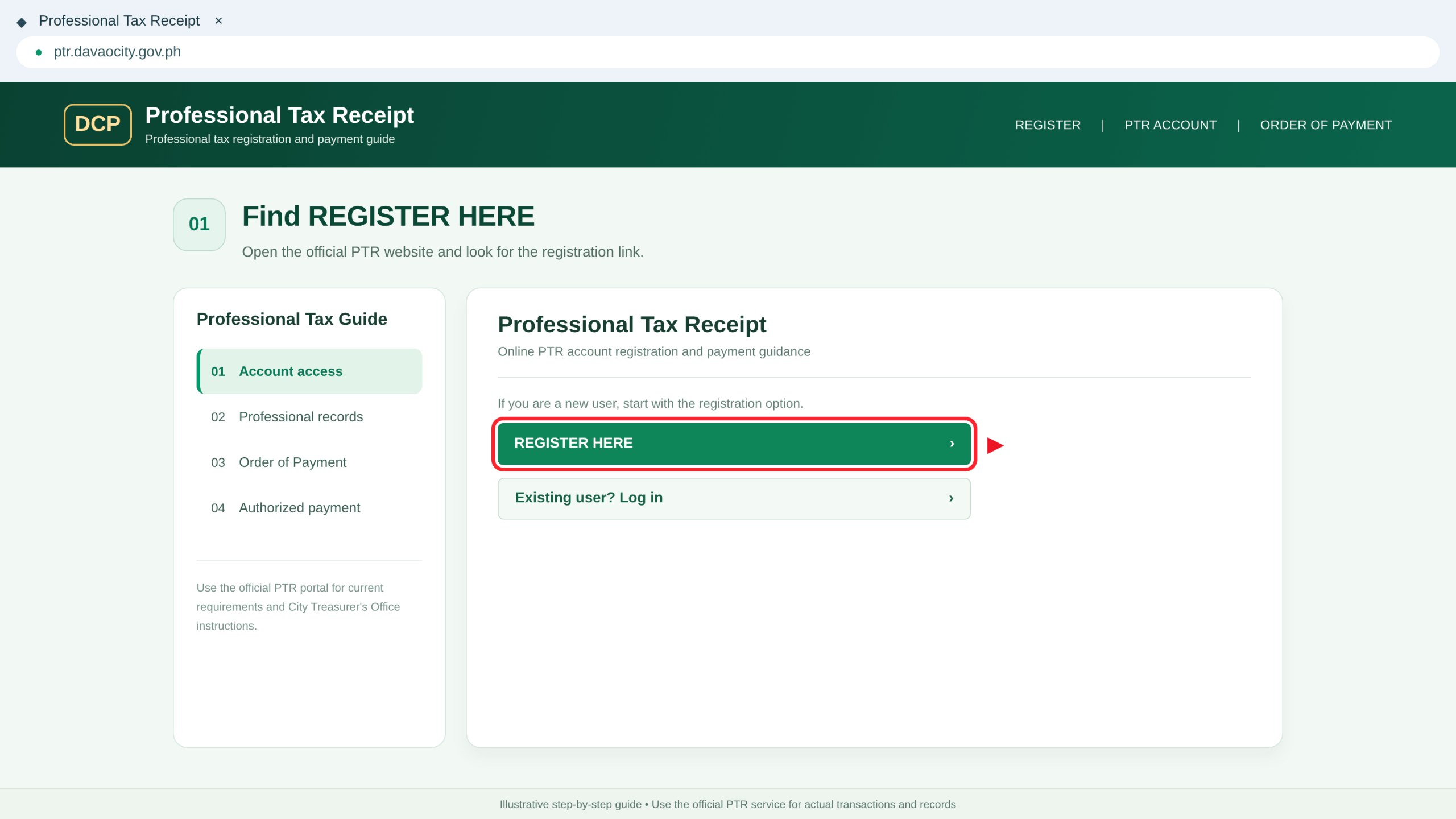
Open the Official PTR Website
Visit ptr.davaocity.gov.ph .
The 2026 Charter directs new users to the REGISTER HERE option. If the website is unavailable, contact the City Treasurer rather than using an unofficial alternative.
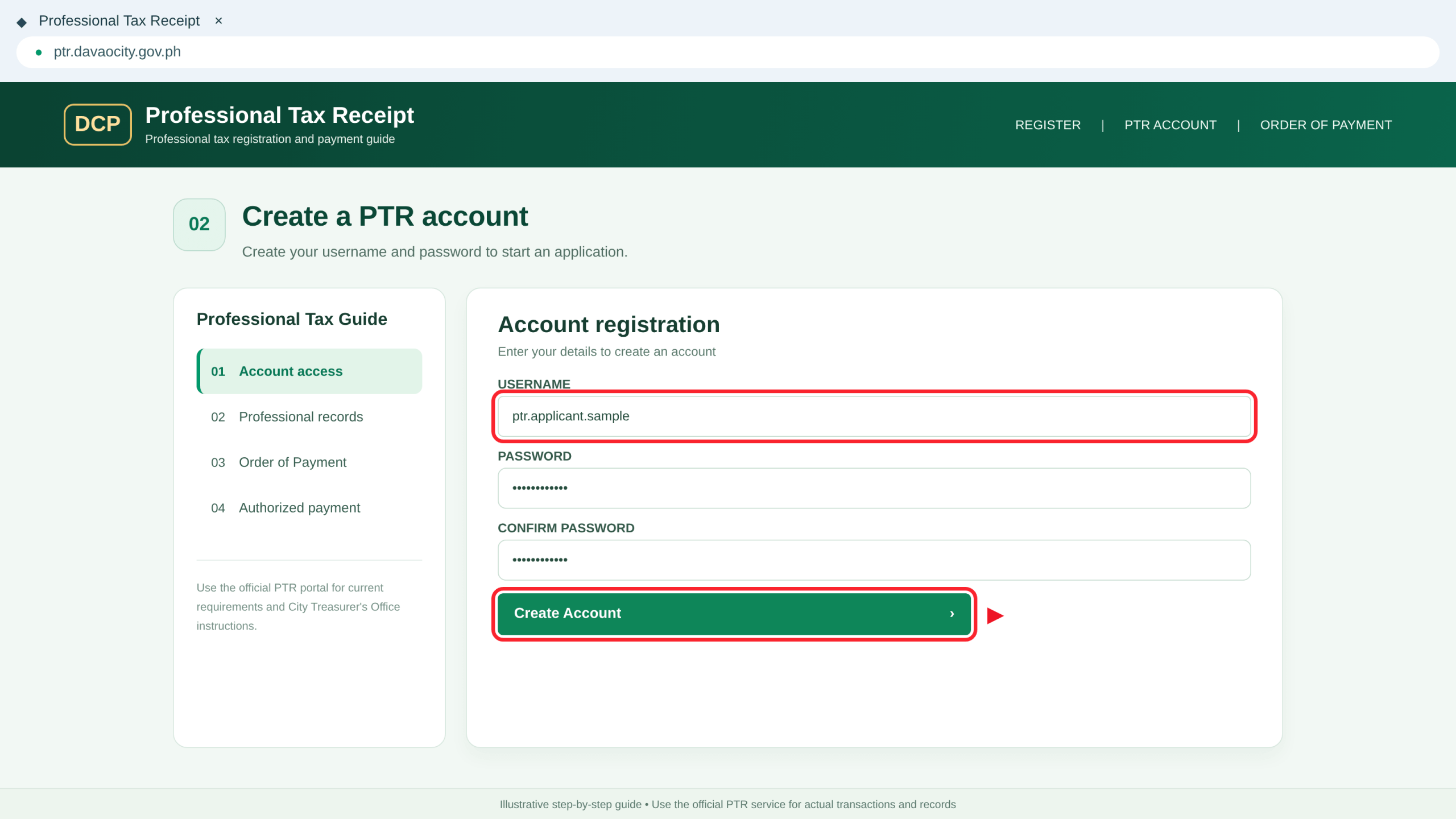
Register With a Username and Password
Select REGISTER HERE and follow the live form to create a username and secure password.
Keep your credentials private and avoid creating duplicate accounts unnecessarily.
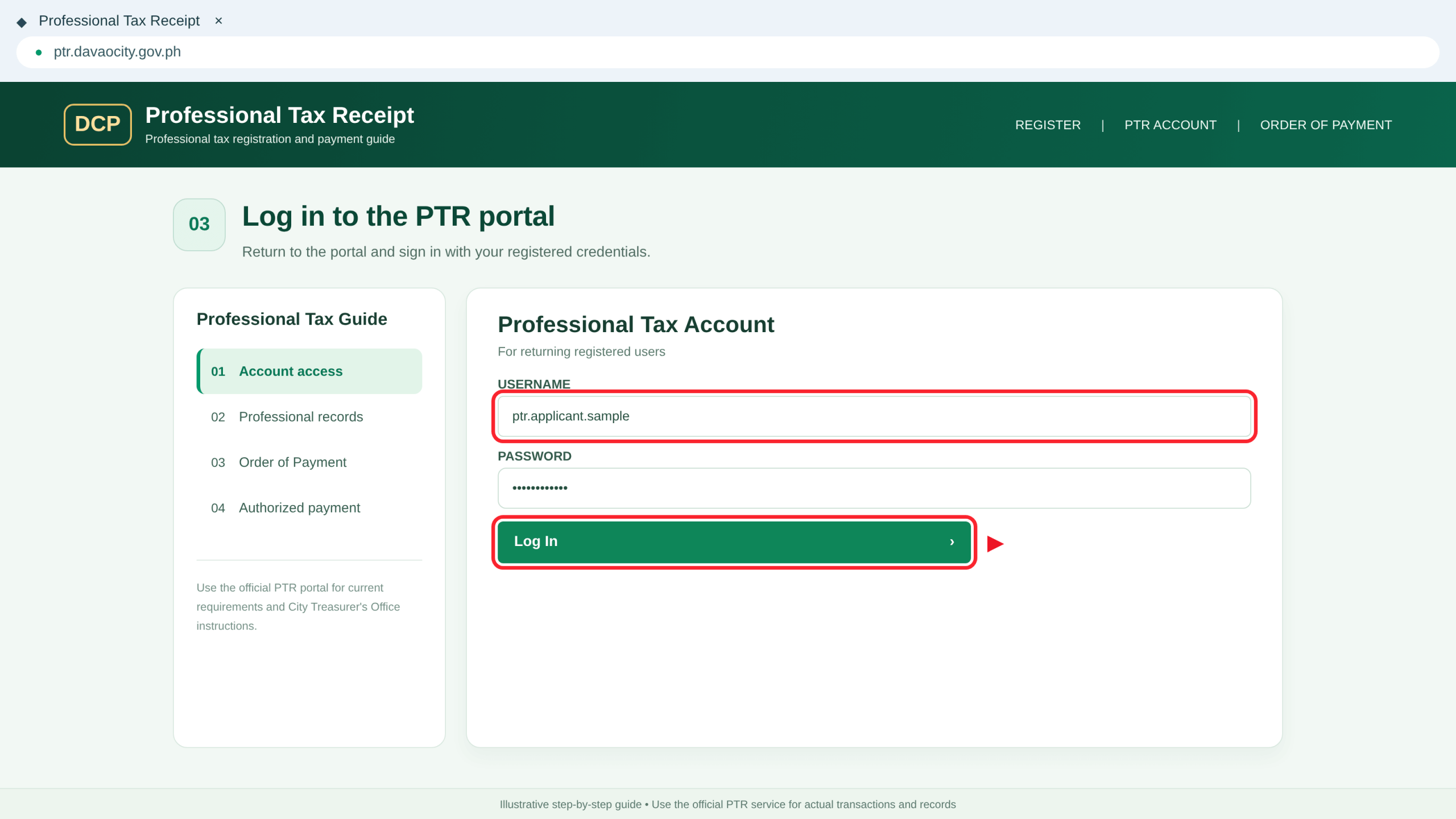
Log In to Your PTR Account
Return to the login screen and sign in with the account you created.
Existing users should access their previous account rather than registering again.
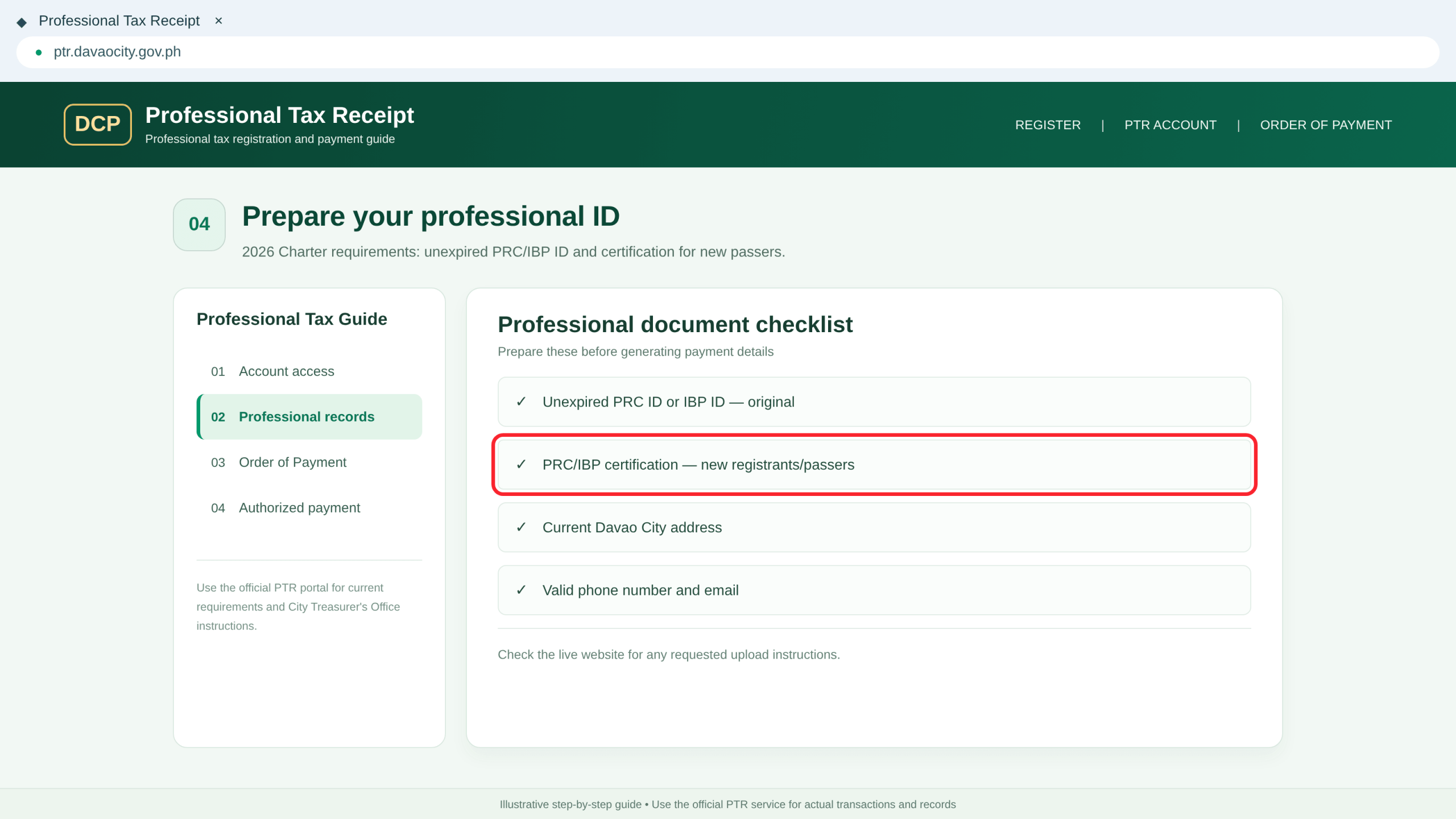
Prepare the Assessment Documents
Check your PRC or IBP ID, any applicable certification and contact information against the official requirements.
Upload document files only if the genuine PTR system requests them. The Charter does not establish one universal upload button.
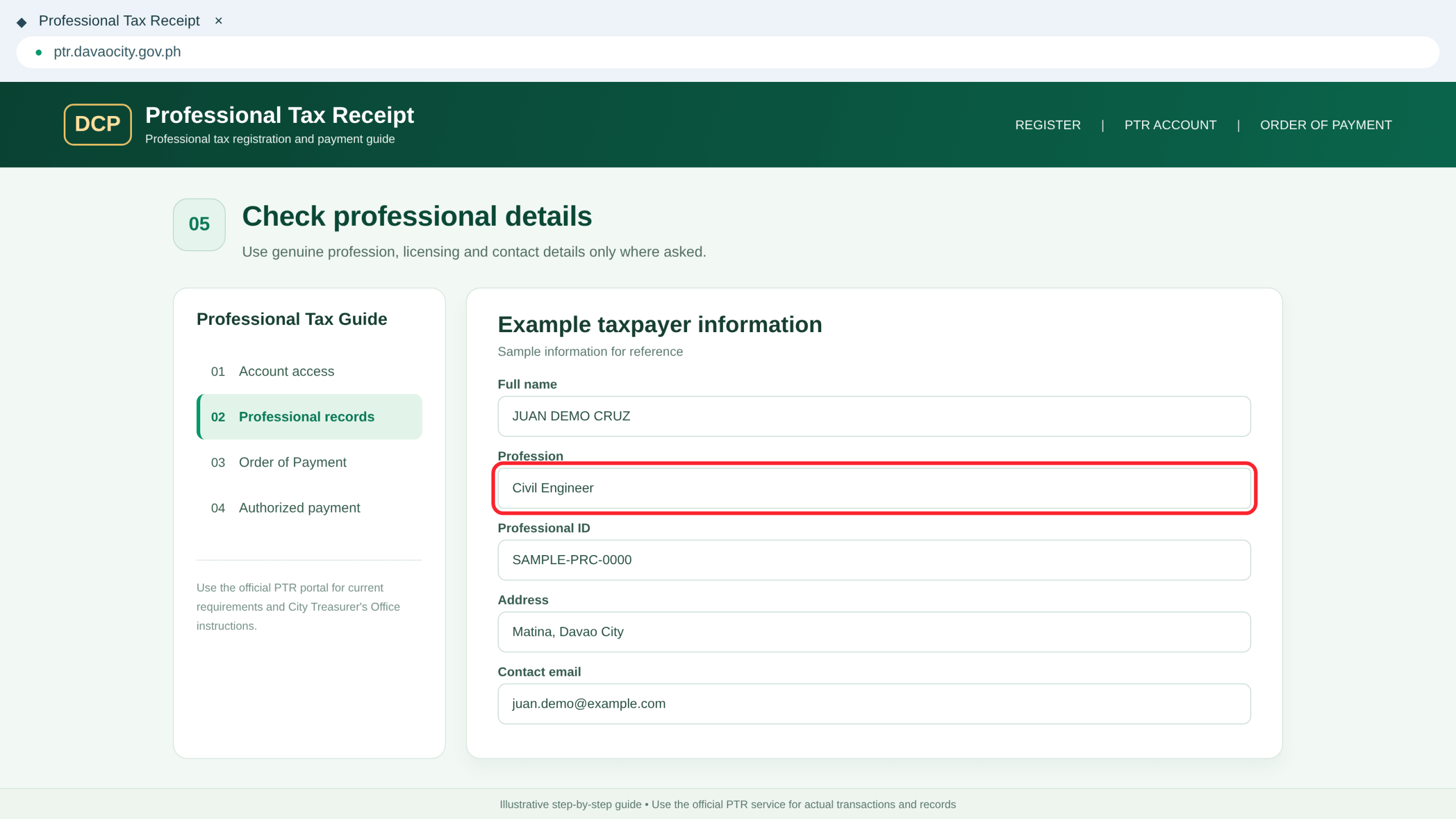
Review Personal and Professional Information
Follow the official account instructions and verify displayed details such as your name, profession, license, local address, tax year and contact information, where requested.
Enter only the fields shown by the genuine system.
Generate & Review the Payment Order
Check the correct tax year and generate the official Order of Payment.
Check the Tax Year Before Assessment
If the system displays a tax year or previous-year balance, review it carefully. Contact the City Treasurer if the tax period, license record or outstanding amount looks incorrect.
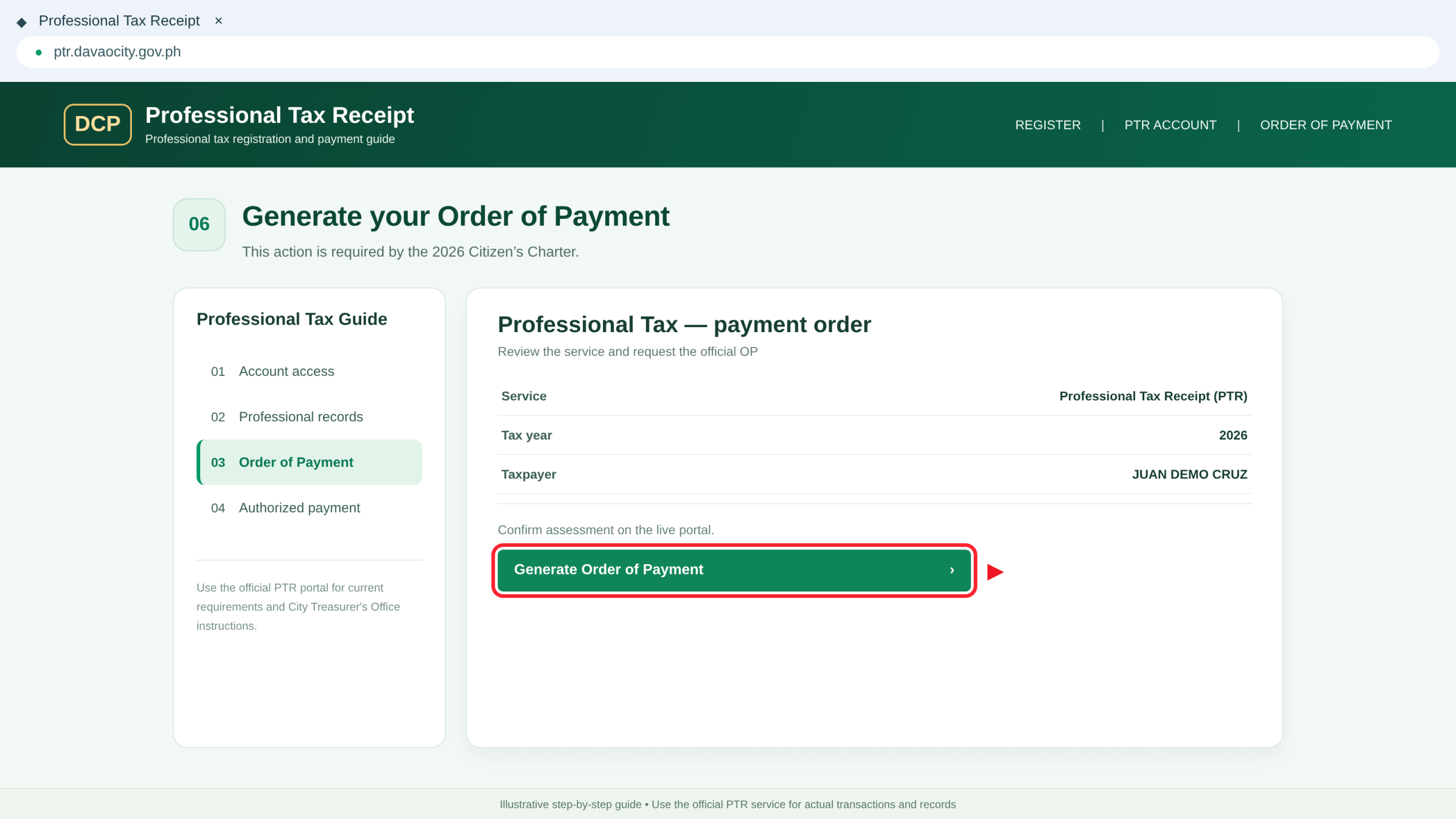
Generate the Order of Payment (OP)
The Citizen’s Charter instructs applicants to generate an Order of Payment through the PTR system.
Follow the current portal controls, review the transaction information and save your genuine OP reference.
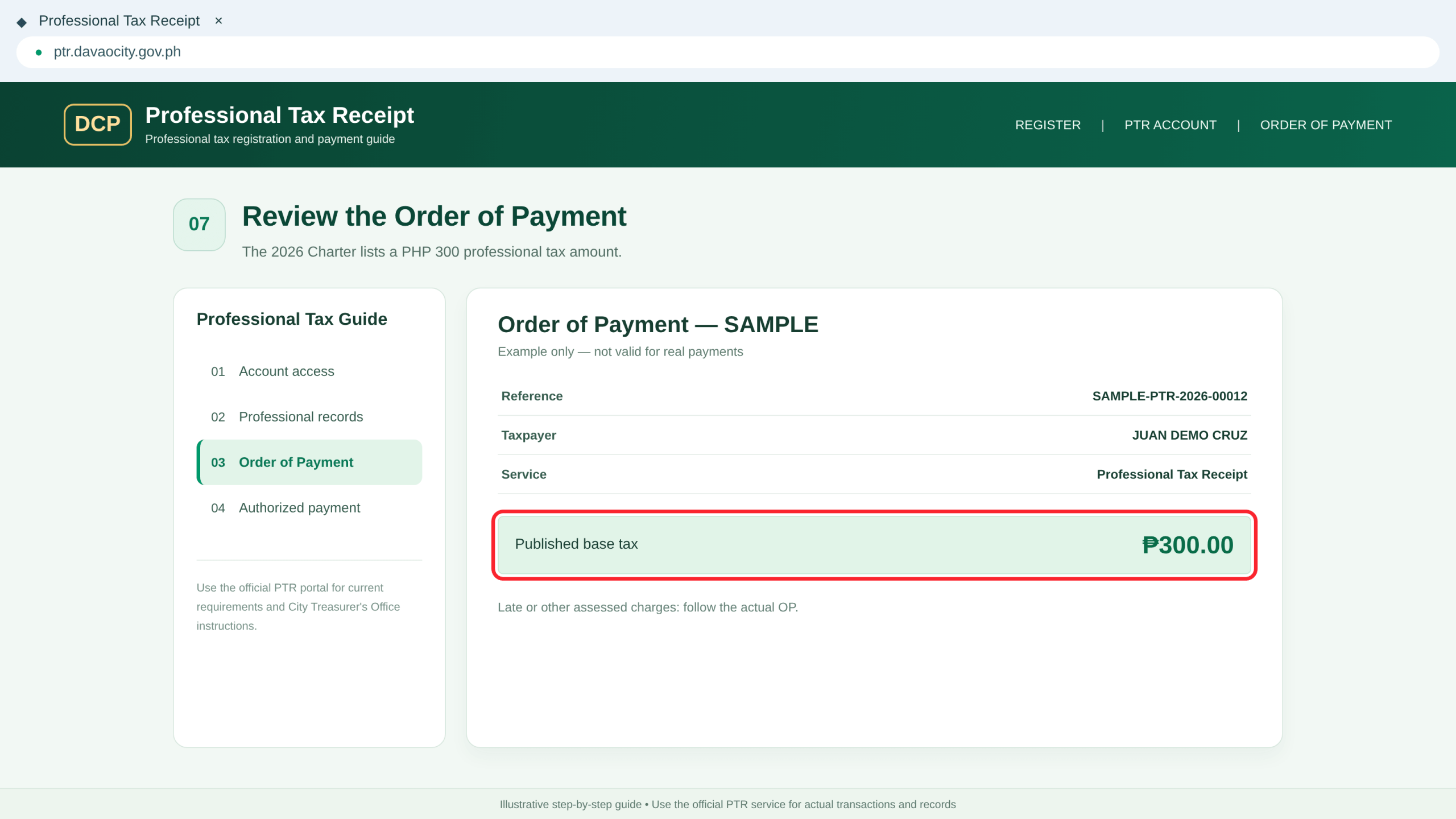
Review the Assessed Professional Tax
The 2026 Charter lists a base professional tax of ₱300.00 under Section 58 of the City’s 2017 Revenue Code.
Check the actual amount on your official Order of Payment. Surcharges or previous obligations may affect the final total.
Pay Your Tax & Keep the Official Receipt
Use an authorized payment channel and retain proof of the genuine transaction.
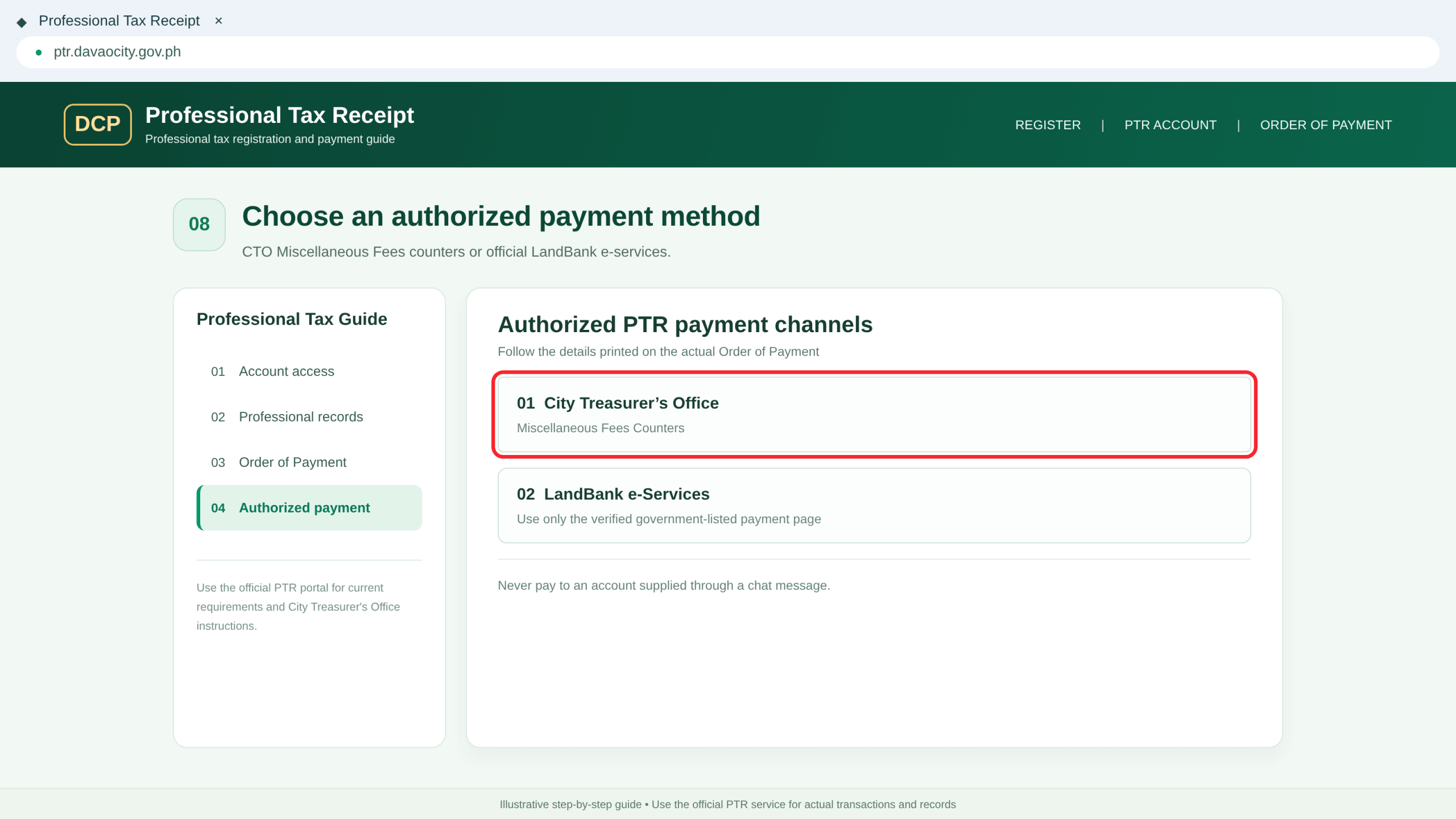
Choose an Authorized Payment Channel
The Charter identifies payment through the City Treasurer’s Miscellaneous Fees Counters or the authorized LandBank e-Services payment facility.
Follow the official instructions associated with your Order of Payment.
Pay the Amount on Your Genuine Order
Present or enter the correct Order of Payment details when paying through the authorized channel. Keep any electronic transaction confirmation. The City Treasurer issues an Official Receipt (OR) as proof of payment.
Save the Official Receipt
Keep your genuine Official Receipt, Order of Payment information and transaction confirmation.
The published Charter confirms Official Receipt issuance, but does not guarantee an instant downloadable PTR PDF. Follow the official release procedure.
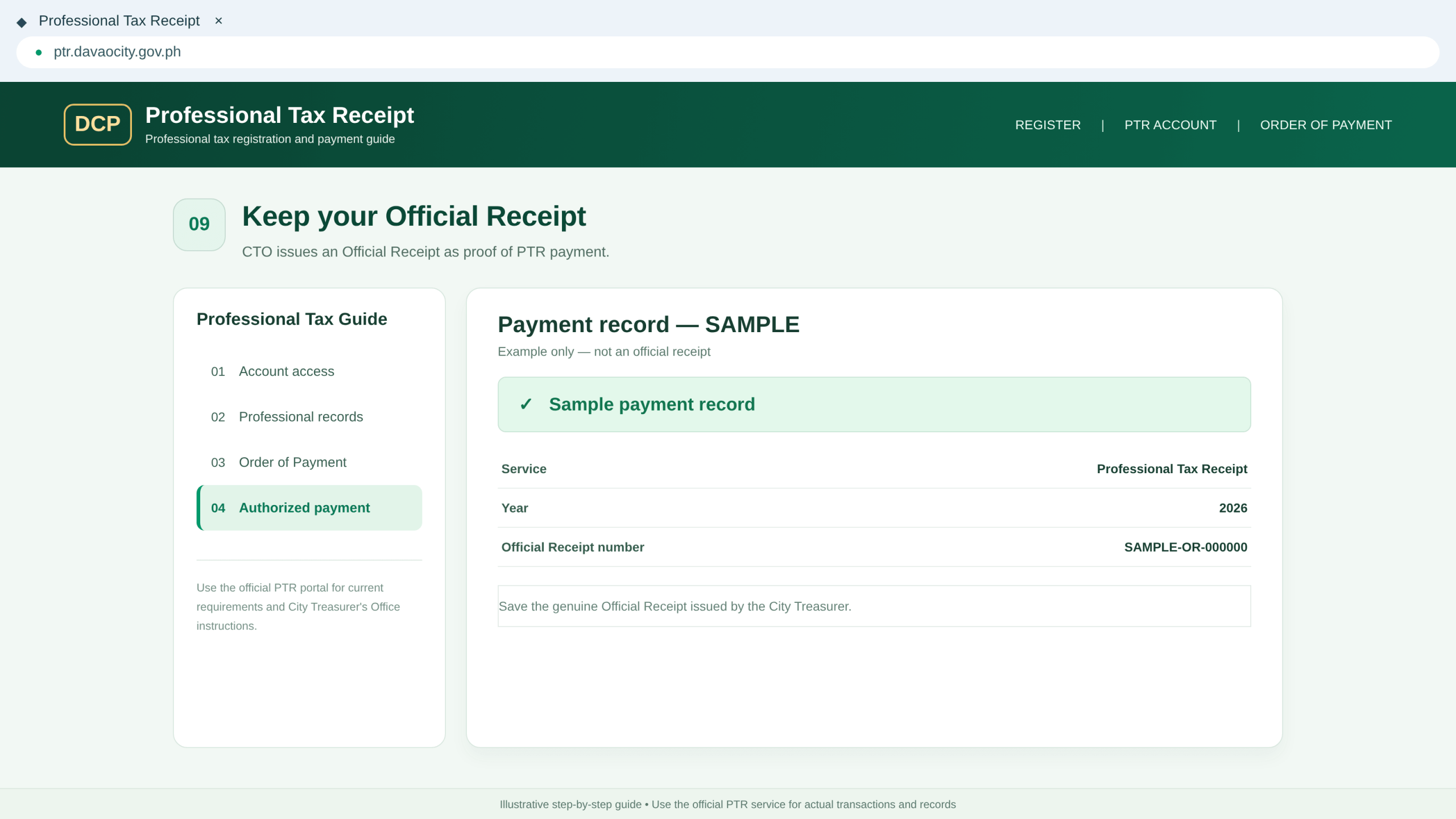
Check Your Payment Record and Future Renewal
If your payment does not appear in the system, or if you need another year’s PTR, contact the City Treasurer with your official OP and OR details. Confirm renewal, surcharge and document requirements directly with the office.
Payment, Processing & Office Details
Review the published tax and service information, and know where to request official assistance.
Professional Tax Amount
Listed tax: ₱300.00. Use the exact amount provided on your official Order of Payment, particularly if previous-year balances or surcharges apply.
Published Processing Estimate
The 2026 Charter allocates 10 minutes for account access, 5 minutes for payment-order processing and 3 minutes for payment/OR issuance: 18 minutes in total. Queues and downtime can take longer.
City Treasurer’s Office
Room 1, City Hall Building, San Pedro Street, Davao City.
Phone: (082) 241-1000 local 232
Email: [email protected]
Published office hours: 8:00 AM–5:00 PM. Confirm before visiting.
Account and Payment Safety
Register using the official government website only. Never share passwords, ID photos or sensitive payment information through unverified messages.
Confirm an unfamiliar payment reference with the City Treasurer before completing the transaction.
Professional Tax Receipt (PTR)
PTR is a professional-tax service processed through the City Treasurer’s Office. The applicable professional tax is paid using an official Order of Payment.
Occupational Permit
An Occupational Permit is a separate service for workers covered by that permit requirement. One document should not automatically be treated as a replacement for the other.
Common PTR Application Problems
Open the issue that matches your situation to see the recommended next action.
01 PTR Website Not Loading +
Retry later or contact the City Treasurer’s Office for the current authorized procedure. Avoid third-party registration sites.
02 Registration or Login Fails +
Check your username and password, use the portal’s available recovery instructions and avoid creating duplicate accounts unnecessarily.
03 PRC or IBP ID Has Expired +
The 2026 checklist specifies an unexpired professional ID. Ask the PRC/IBP and City Treasurer about valid documentation options.
04 Order of Payment Is Missing +
Verify that you completed the official system’s required account and assessment process. Contact the City Treasurer if the OP is not generated.
05 Assessed Amount Differs From ₱300 +
Check the tax year, outstanding previous obligations and applicable surcharges. Confirm the official amount before paying.
06 Payment or Official Receipt Not Found +
Retain your genuine transaction confirmation and ask the City Treasurer to verify the payment. Avoid paying twice without guidance.
Ready to Start Your PTR Application?
Access the government’s PTR service to register and generate an Order of Payment. If the portal is unavailable, contact the City Treasurer’s Office for an authorized alternative.
Where to Go Next
Official reference: Davao City Citizen’s Charter 2026, Volume II, pages 182–183 . DavaoCityPortal.org is an independent informational website. The guide images are illustrative examples and are not verified live government portal screenshots.