
Special Mayor’s Permit in Davao City
Planning a bazaar, exhibition, motorcade, sports event or another public activity in Davao City? Learn how to prepare the required clearances, complete the official application, follow regulatory review, pay assessed fees and obtain an approved Special Mayor’s Permit.
Official portal notice: If the Special Permit portal displays maintenance information, contact the Davao City Business Bureau for an authorized alternative. Never submit private documents to unofficial or imitation websites.
Special Mayor’s Permit Requirements
Supporting documents depend on the event type, expected attendance, organizer and venue. Review general requirements and applicable safety and tourism clearances.
General Event Documents
- Letter of Intent showing event purpose, dates, time and venue.
- Comprehensive Plan for operations and safety arrangements.
- Security Clearance or relevant authority certification.
- Affidavit of Undertaking, where instructed.
Organizer and Venue Proof
- Valid organizer Business Permit or applicable organization registration.
- Venue Business Permit when required.
- Venue agreement, certification, capacity proof or rental agreement.
- Accurate applicant and authorized contact information.
Tourism and Safety Pre-Clearance
- For 100 attendees or fewer, the published guide identifies City Tourism Operations Office certification.
- Events with more than 100 attendees may need Tourism endorsement and PSSCC safety assessment.
- Confirm the currently applicable attendance thresholds and approvals.
Conditional Event Documents
- Sports Division certification for relevant sporting events.
- Barangay Resolution for applicable outdoor concerts and activities.
- IGDD waiver for specified pageants or stage performances.
- Exhibitor lists, road-closure approvals, PESO/DOLE or recruitment documents where applicable.
Event-specific requirements vary. Ticket-selling events may involve a separate City Treasurer admission-ticket or performance-bond process. Confirm the final checklist before submission.
Four Phases. One Clear Process.
Follow these application steps from preparing event clearances to downloading your approved permit. Click a phase to jump directly to it.
Prepare & Get Clearance
Identify your event and secure preliminary approvals.
Determine Your Event Type and Expected Attendance
Identify whether you are organizing a bazaar, exhibition, fun run, motorcade, public show or another type of event.
Record the dates, venue, purpose and expected attendance. The number of attendees may affect required Tourism and safety clearances.
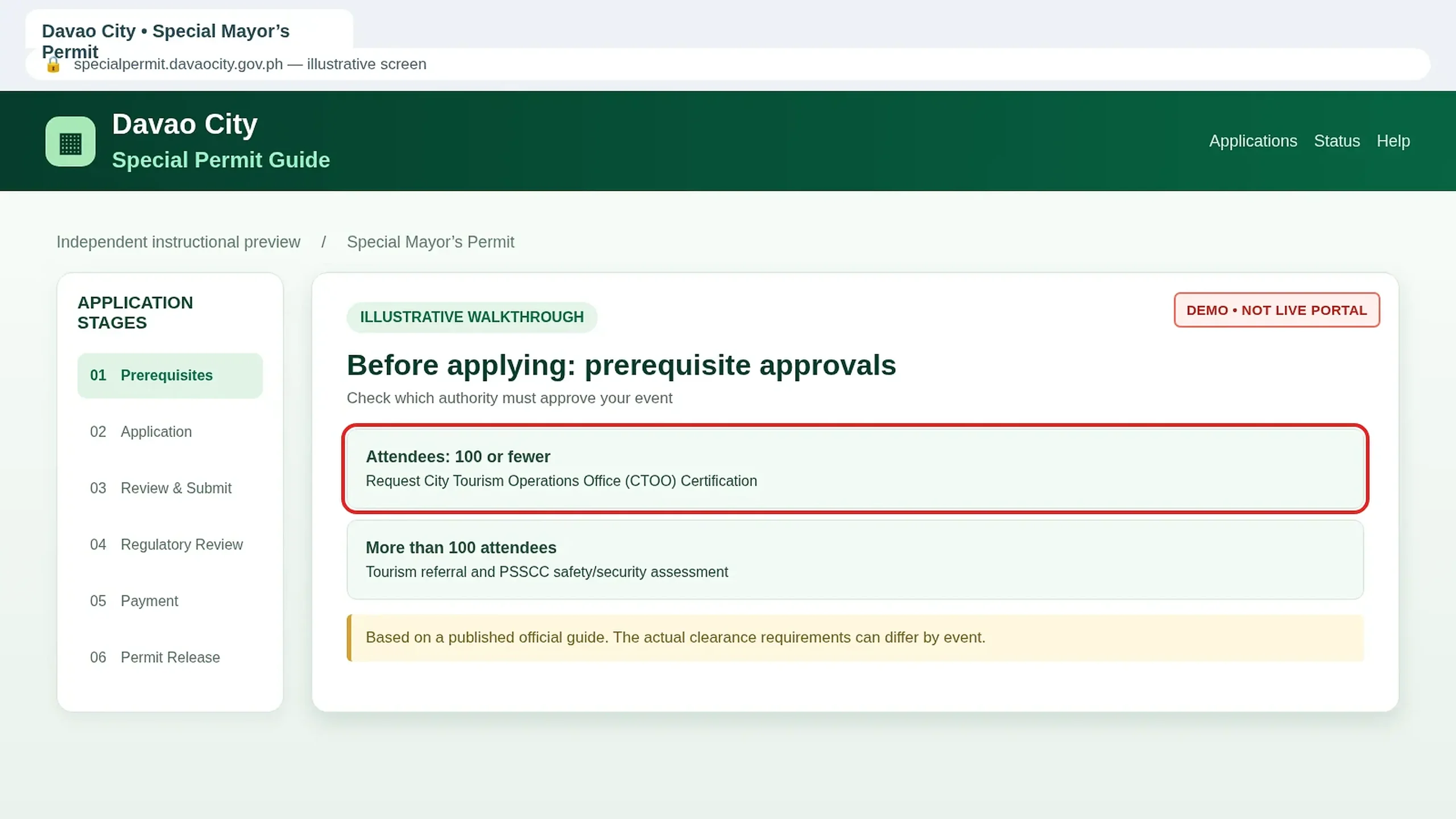
Request the Appropriate Tourism or Safety Clearance
Prepare the Letter of Intent and follow the City Tourism Operations Office’s instructions. The published guide identifies a PSSCC assessment route for events above 100 participants. Verify the current requirements before filing.
Application & Documents
Complete your request and upload supporting documents.
Open the Official Special Permit Portal
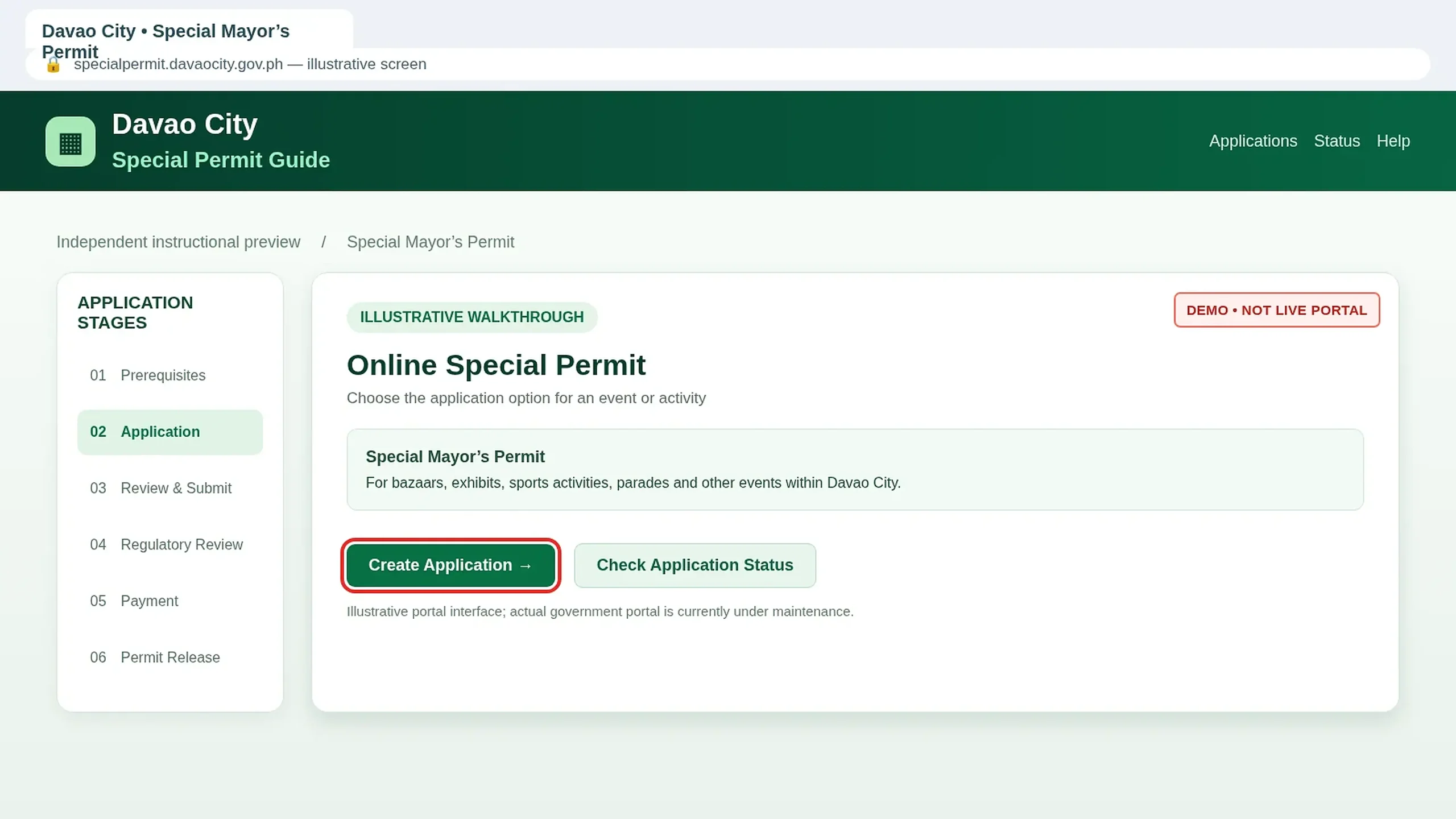
Visit specialpermit.davaocity.gov.ph when available.
Choose Create Application. If the official site is undergoing maintenance, ask the Business Bureau for the authorized application procedure.
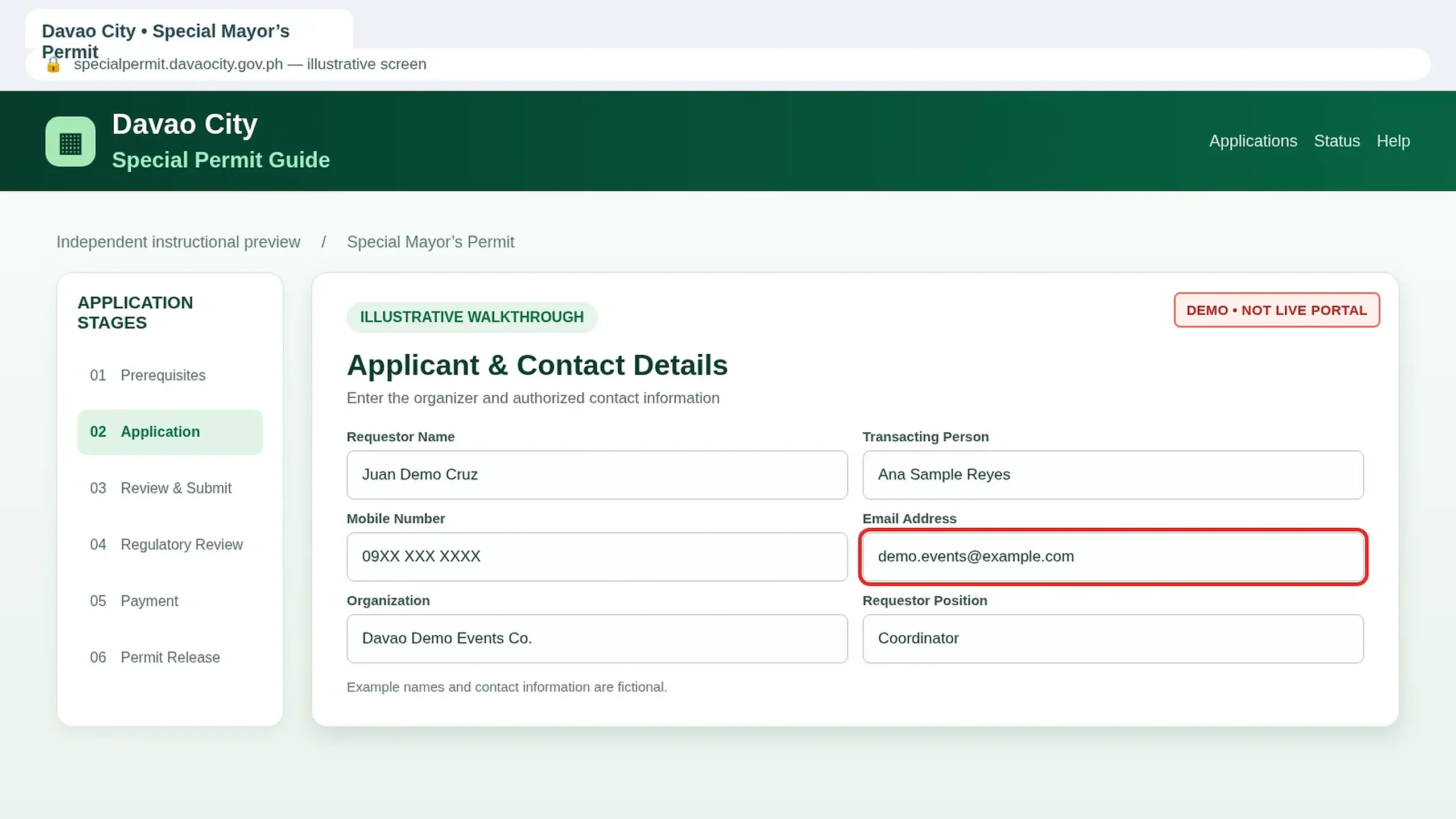
Enter the Requestor and Contact Information
Enter the requestor name, authorized transacting person, mobile number, email address and organization details.
Check contact information carefully. Official notices and payment instructions may be sent through SMS or email.
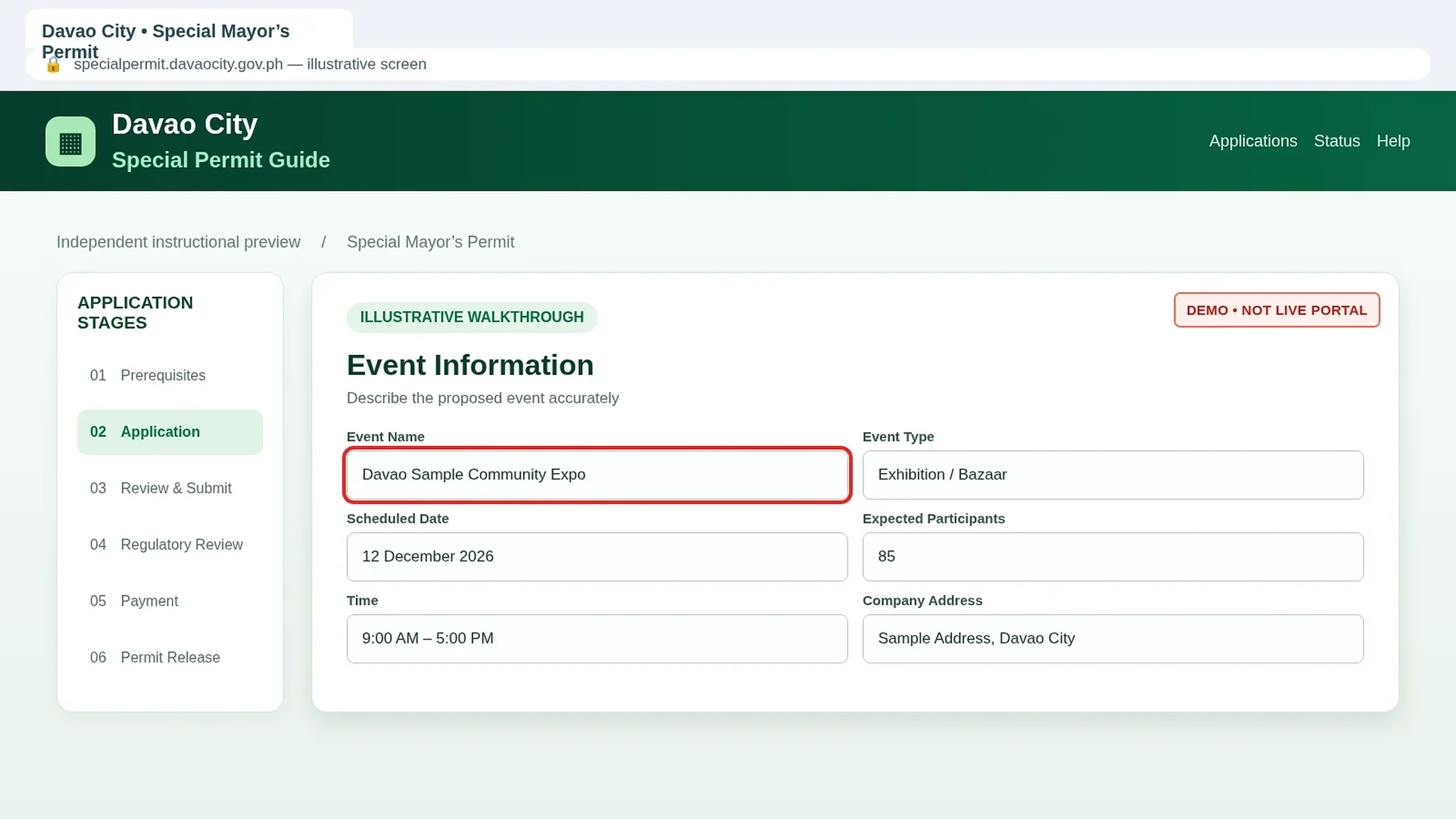
Provide the Event Name and Basic Details
Enter the event title and all relevant information required by the application.
Prepare the exact event date, start and end time, activity type, venue and expected number of attendees. Make sure these details match your supporting documents.
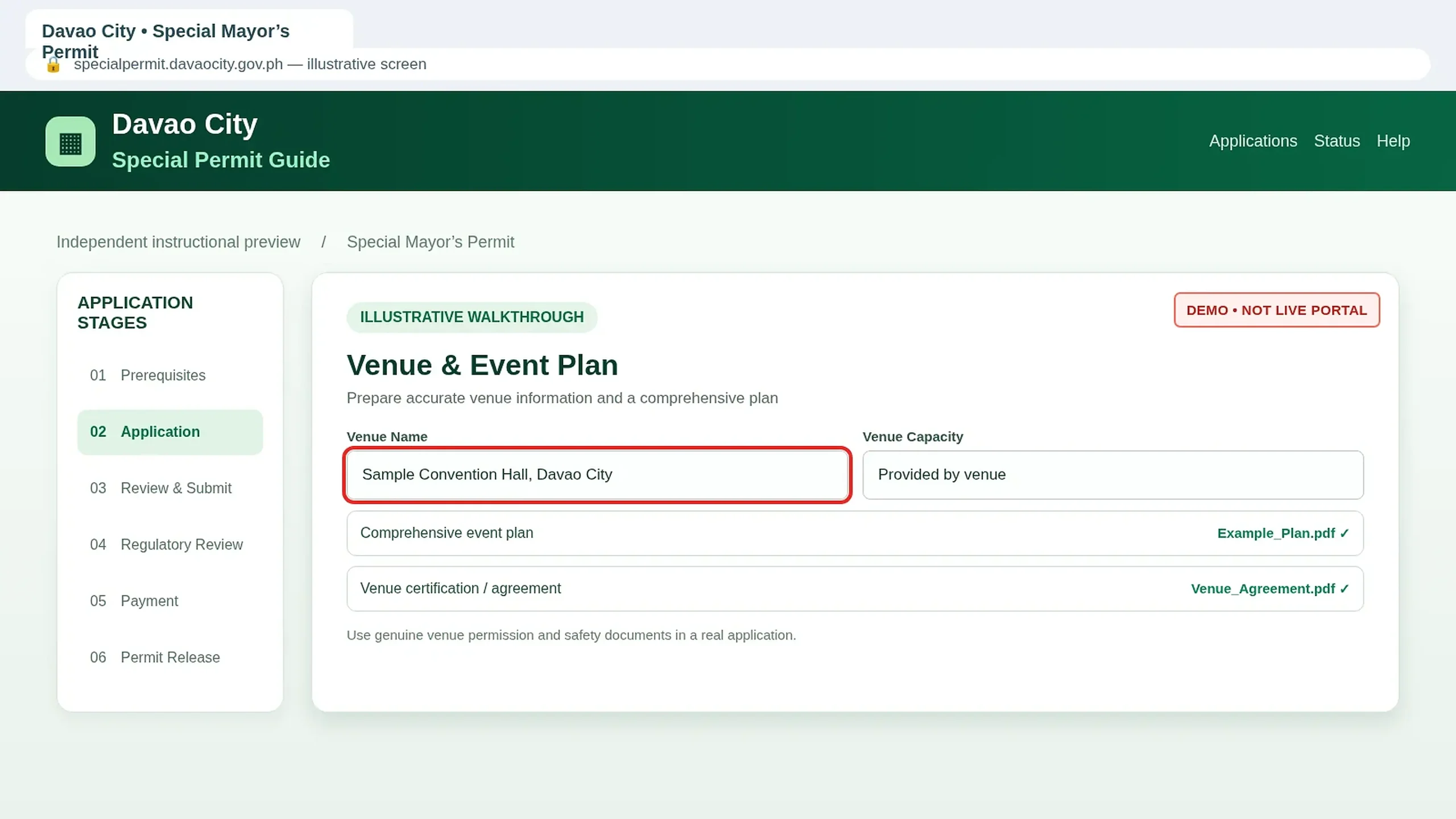
Check the Venue and Prepare the Comprehensive Plan
Confirm the location and prepare the applicable venue permission, certification or rental documentation.
The published requirements include a Comprehensive Plan. Prepare event operations, crowd arrangements and safety information as required.
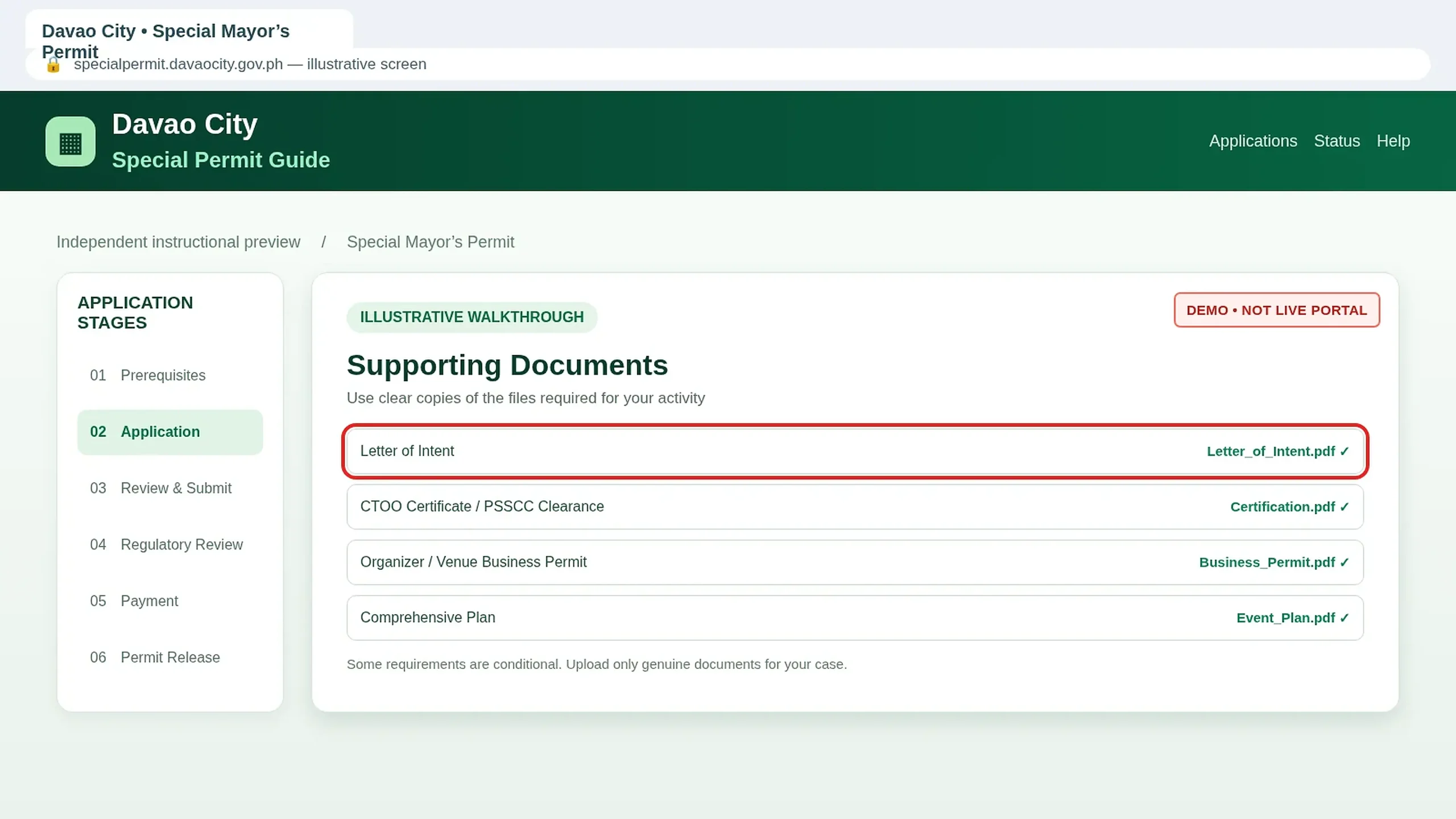
Upload the Required Documents
Attach the Letter of Intent, applicable security clearances, organizer and venue documents, and the comprehensive event plan.
Ensure every document is readable and uploaded to its correct field. Follow the live portal’s file-format and size instructions.
Add Any Special-Event Clearance
Some events need extra documentation, such as Sports Division certification, approvals for road closures, pageant waivers, bazaar exhibitor lists or appropriate recruitment clearances. Provide only the requirements applicable to your event.
Review the Entire Application
Review the organizer information, activity purpose, location, schedule, attendance and uploaded files.
Correct inconsistencies before submitting, particularly contact information and venue details.
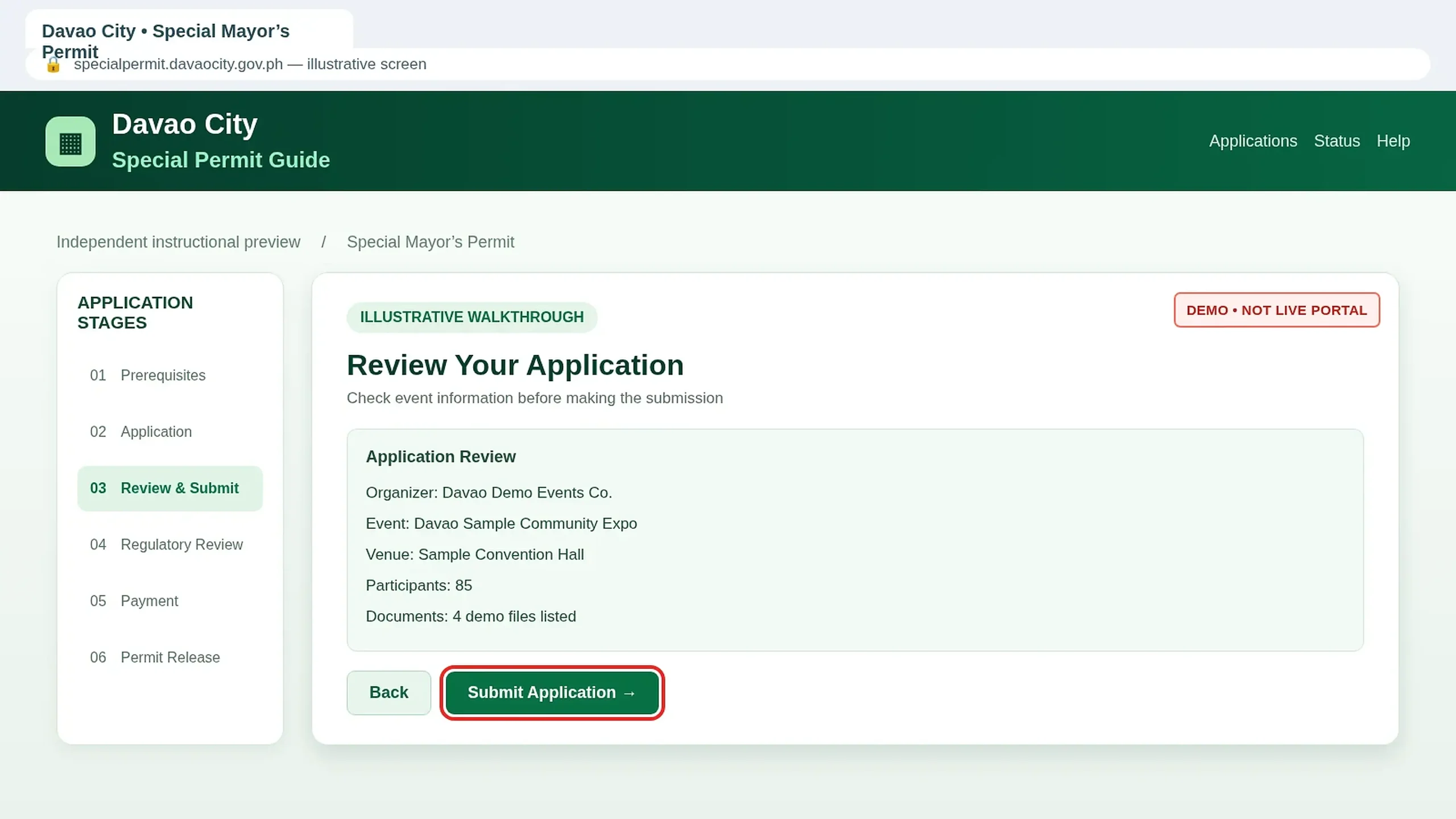
Submit Your Special Permit Request
Submit the form using the official portal and save any reference number or credentials provided by the government service. Submission does not authorize you to conduct the event.
Regulatory Assessment
Monitor the official review and resolve any outstanding requirements.
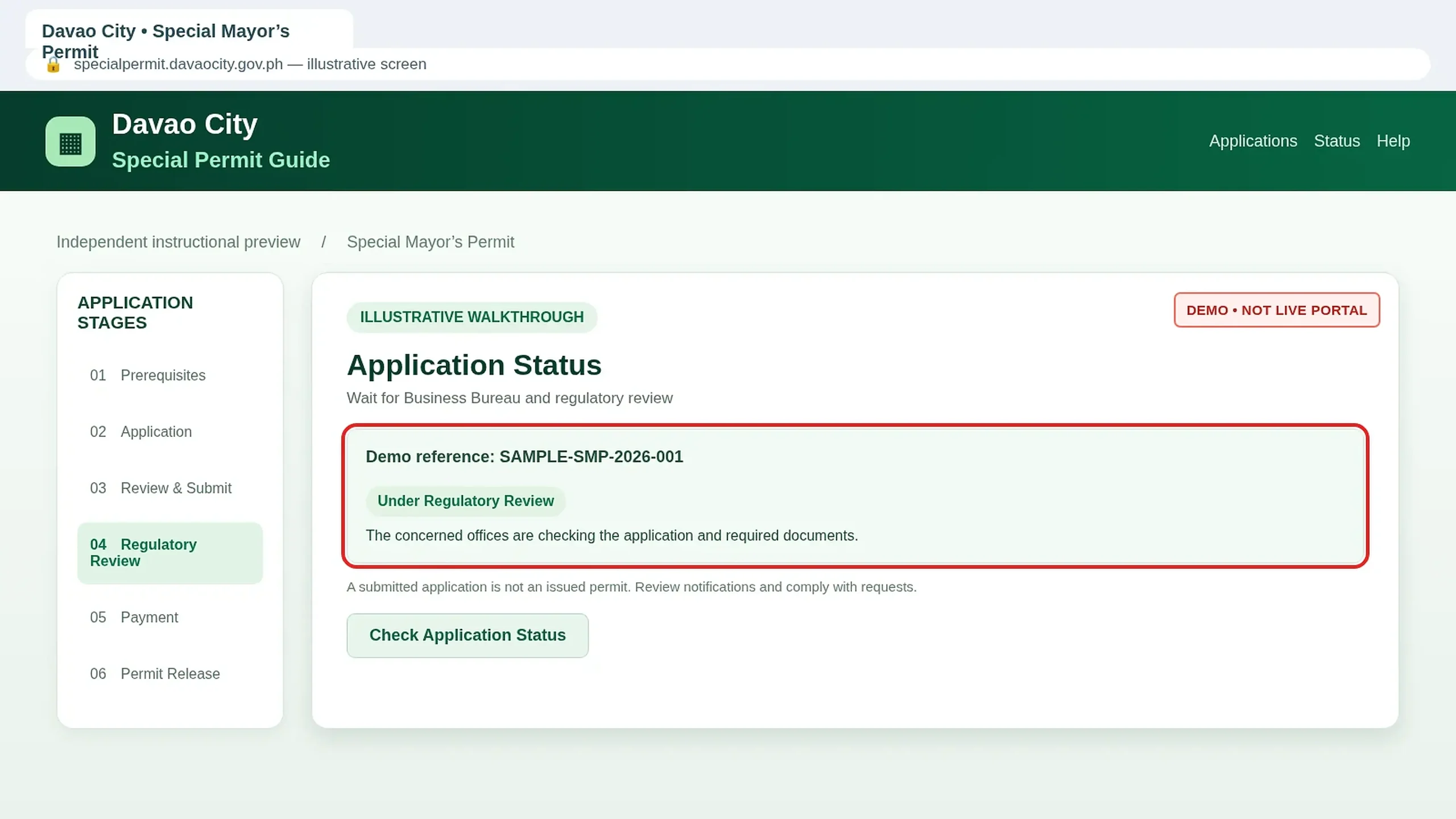
Check Application Status and Regulatory Review
Use the official Check Application Status route to monitor your request.
Business Bureau personnel pre-assess the documents and may forward eligible applications to relevant regulatory offices. Check for missing-document notices.
Resolve Pending, Denied or Cancelled Applications
If the application is pending, address requests from the responsible office. If denied, check the official reason and ask how to correct it. Cancellation may follow a separate Bureau procedure. Avoid repeatedly submitting duplicate requests.
Payment & Permit Release
Complete the official payment and obtain your approved permit.
Receive and Review the Order of Payment
After assessment and the required regulatory approvals, the government may issue an Order of Payment.
Review the assessed amount, event classification and payment method. There is no single universal fee for every Special Mayor’s Permit.
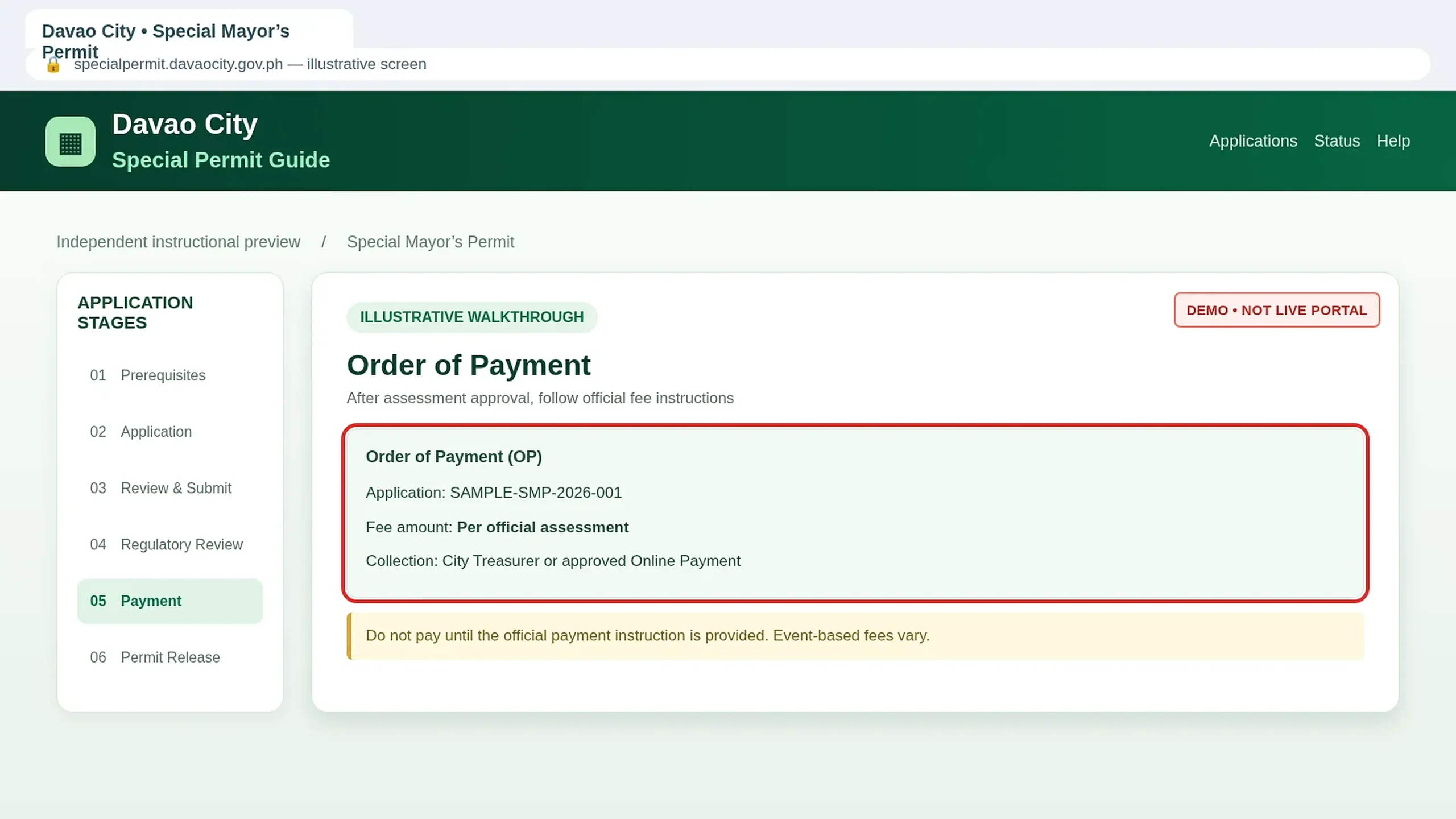
Pay Through the Official Government Channel
The published process describes the City Treasurer’s Office and authorized online payment when available. Pay the assessed amount only through the official channel and keep your payment receipt.
Wait for Final Business Bureau Approval
Government personnel verify the paid application and supporting documents. The designated supervisor makes the final decision. Payment alone does not constitute approval to hold an event.
Download the Approved Special Mayor’s Permit
Once final approval is recorded, use the official application status service or genuine notification to access your issued permit.
Download or print the document and check its event name, date, venue and conditions before the activity.
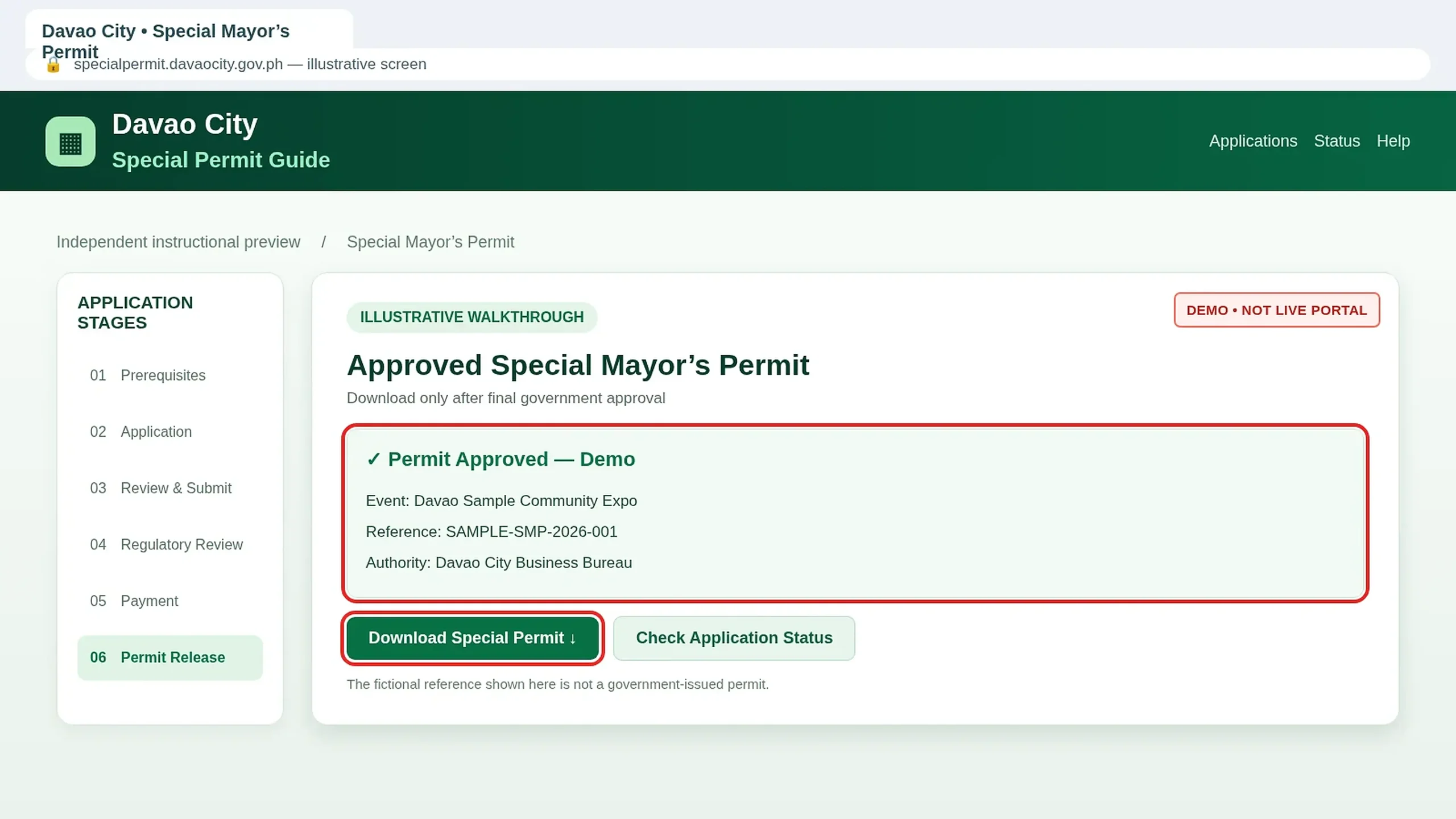
Keep the Permit and Follow Its Conditions
Keep the permit and payment receipt available for inspection. Follow the approved capacity, safety rules, venue conditions and event limitations. Obtain any separate authorization required for road closures or ticketed activities.
Extra Rules for Particular Events
Different events require different regulatory clearances. Review the rules that apply to your activity before submitting the official request.
Bazaars, Exhibitions & Public Shows
- Organizer’s business registration and applicable business permit.
- Venue documentation and capacity proof.
- Exhibitor list for relevant bazaars or food events.
- Tourism, safety and comprehensive event-plan requirements.
- Barangay Resolution where required for outdoor concerts or shows.
Sports, Recruitment & Other Activities
- Sports Division certificate for applicable sports events.
- IGDD waiver for specified pageants or stage shows.
- PESO, DOLE or other relevant recruitment clearances.
- Separate approvals for affected road closures or activities.
- City Treasurer paperwork for ticket selling or performance bonds when required.
Fees and processing time: The published 2026 Citizen’s Charter lists 1 hour 10 minutes of agency processing. Document preparation, regulatory clearance, payment and final approvals can take longer. Fees depend on the official event assessment.
Common Problems & Practical Checks
Select the issue related to your application to see useful steps before contacting the responsible government office.
01 Portal Shows Maintenance +
Contact the official Business Bureau for the current authorized filing procedure. Do not submit personal information to unofficial imitation websites.
02 Clearance Has Not Been Issued +
Follow up with City Tourism or PSSCC as applicable. An application receipt is not the same as an approved clearance.
03 Application Documents Rejected +
Check document quality, expiry dates, applicant details, organizer information, venue consistency and any event-specific requirements.
04 Order of Payment Not Received +
Review application status, SMS and email for pending approvals or requests. Confirm instructions through official channels before paying.
05 Payment Is Not Reflected +
Keep the official transaction receipt and request verification through the authorized payment channel. Avoid duplicate payments.
06 Approved Permit Cannot Be Downloaded +
Confirm that the government has issued final approval. Pre-assessment or payment confirmation does not necessarily mean the permit is ready for release.
Need a Special Mayor’s Permit?
Use the official service when it is available. For assistance, contact the Davao City Business Bureau at (082) 241-1000 local 377/378 or [email protected].
Related guides on this page:
New Business Permit
·
Business Permit Renewal
·
Occupational Permit
Official references:
Davao City Citizen’s Charter 2026, Volume I
·
Special Permit Requirements Guide
DavaoCityPortal.org is an independent
informational website. Guide images are
illustrative and are not verified live
government portal screenshots.